Cache Foundry Website
Deliver OS Pro v1.2 updated October 2026

Your whole project.
One system.

A complete delivery system for business, change and IT projects.

  • 55 documents1 and a finished worked example3
  • The AI Prompt Companion: 120 prompts, each tied to a document2
  • Runs in Word, Excel and PowerPoint, or Notion
  • No new software to buy or get approved4

£99 inc. VAT5 pay once free updates

Project Charter Word scope, outcomes and who signs it off

What's in Deliver OS Pro

  • 55documents in the pack, including the AI Prompt Companion
  • 30templates and control tools
  • 12finished worked-example documents
  • 120prompts in the AI Prompt Companion
  • 6lifecycle stages, Discover to Learn
  • DOCX
  • DOCX
  • DOCX
  • DOCX
  • XLSX
  • XLSX
  • HTML
  • DOCX
  • XLSX
  • PPTX
  • PPTX
  • XLSX
  • XLSX
  • XLSX
  • PDF
  • DOCX
  • XLSX
  • PPTX
  • DOCX
  • XLSX
  • DOCX
  • DOCX
  • DOCX
  • DOCX
  • DOCX
  • PDF
  • PPTX
  • XLSX
  • HTML
  • DOCX
  • DOCX
  • XLSX
  • PPTX
  • XLSX
  • XLSX

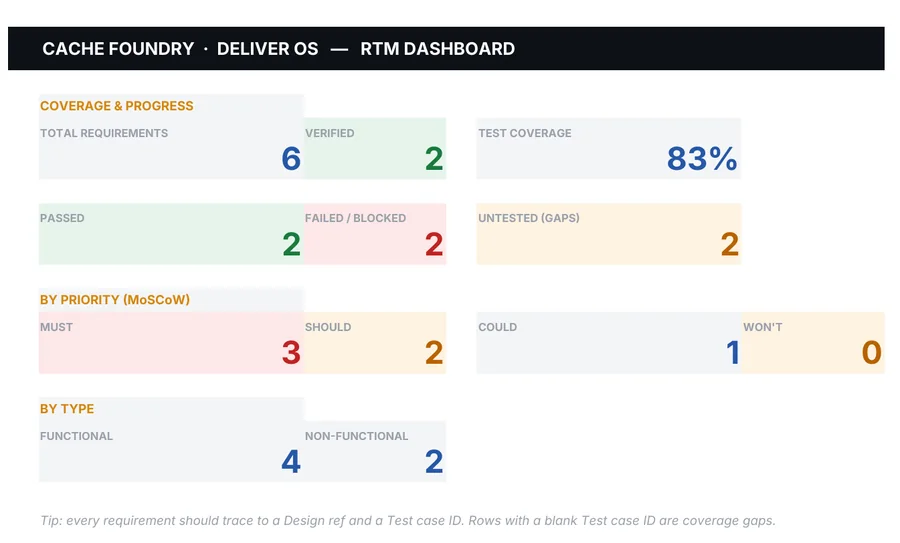
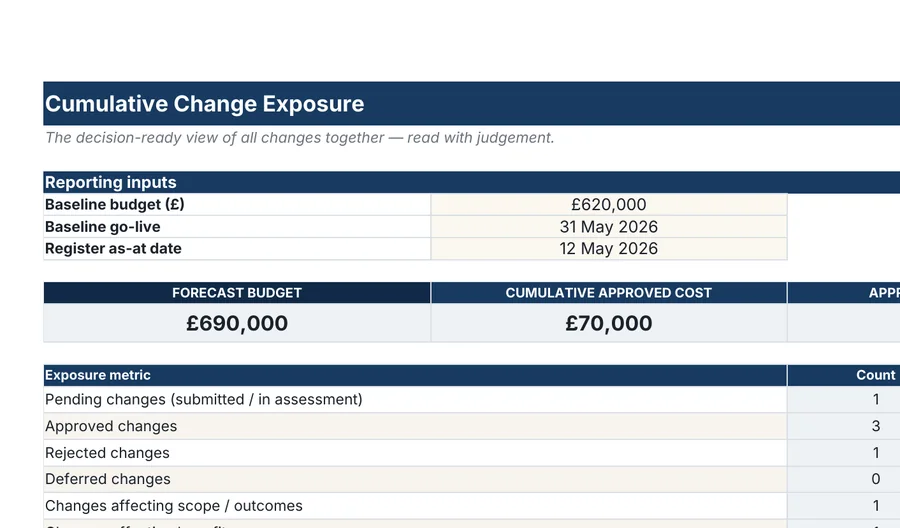
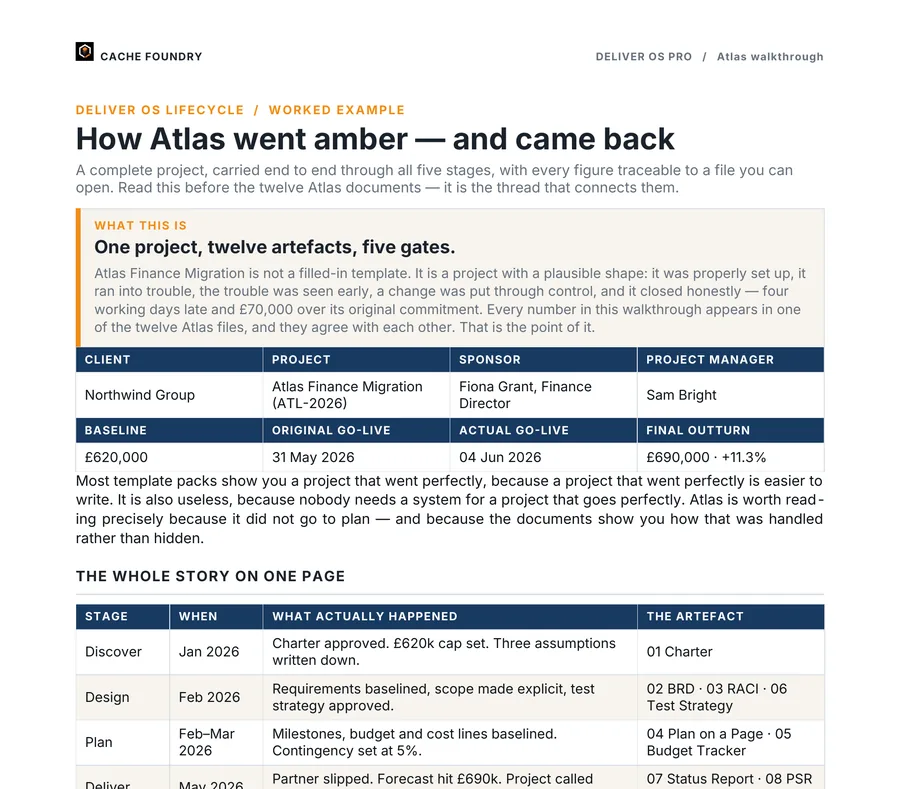
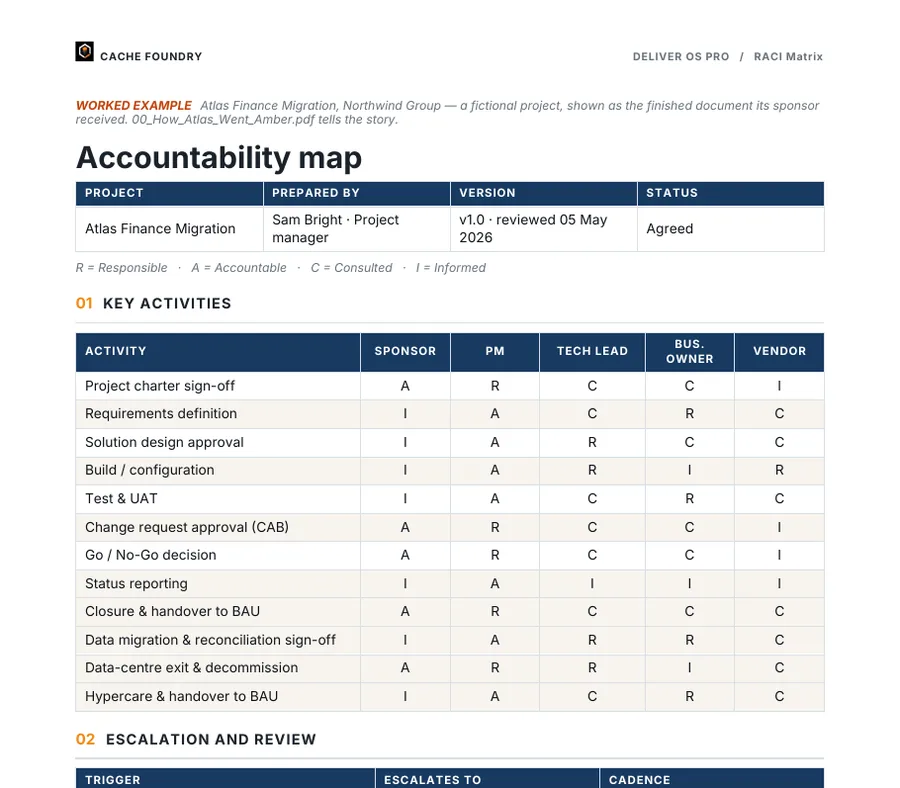
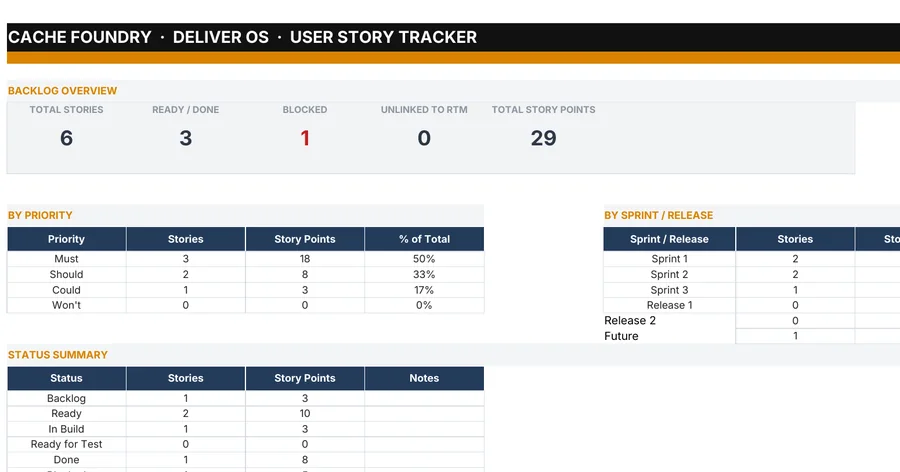
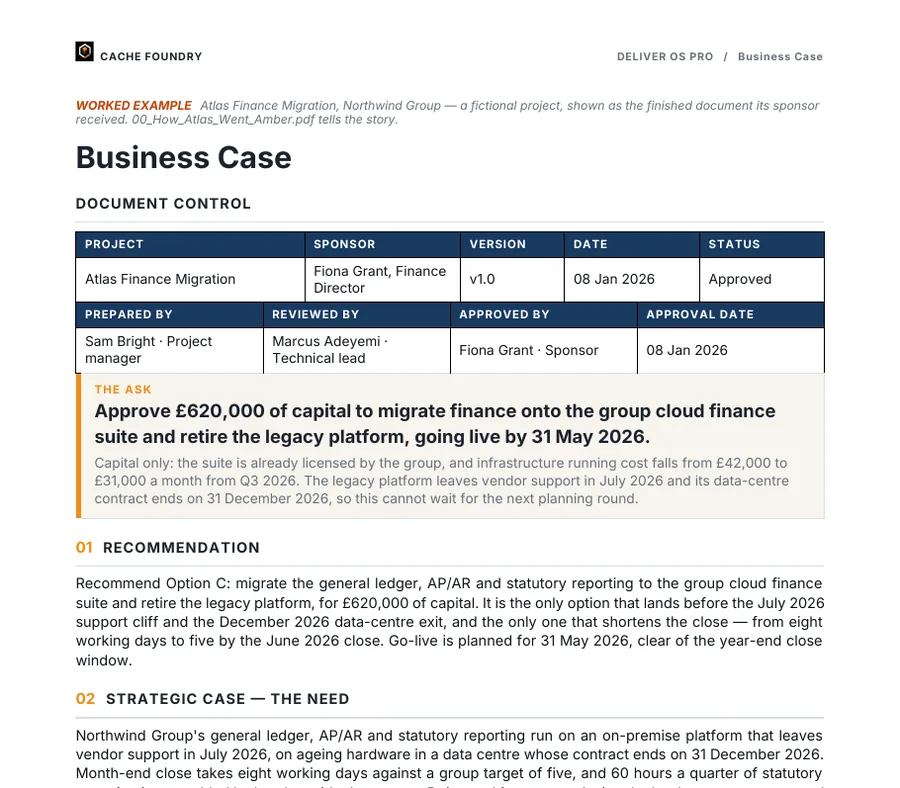
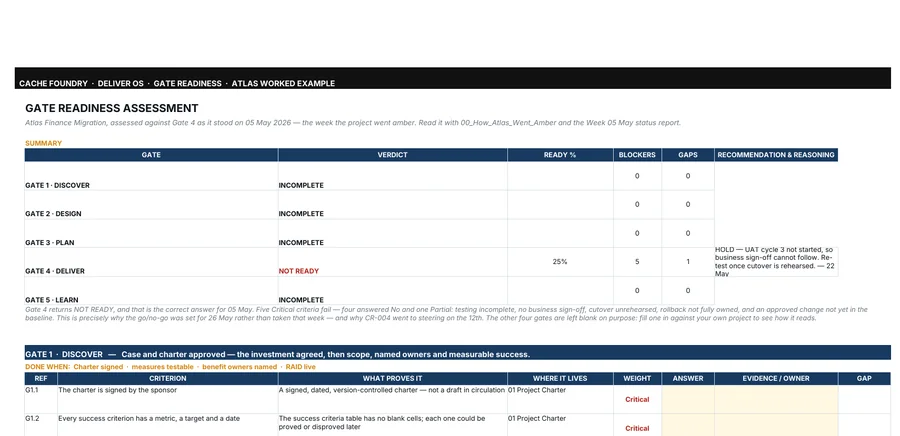
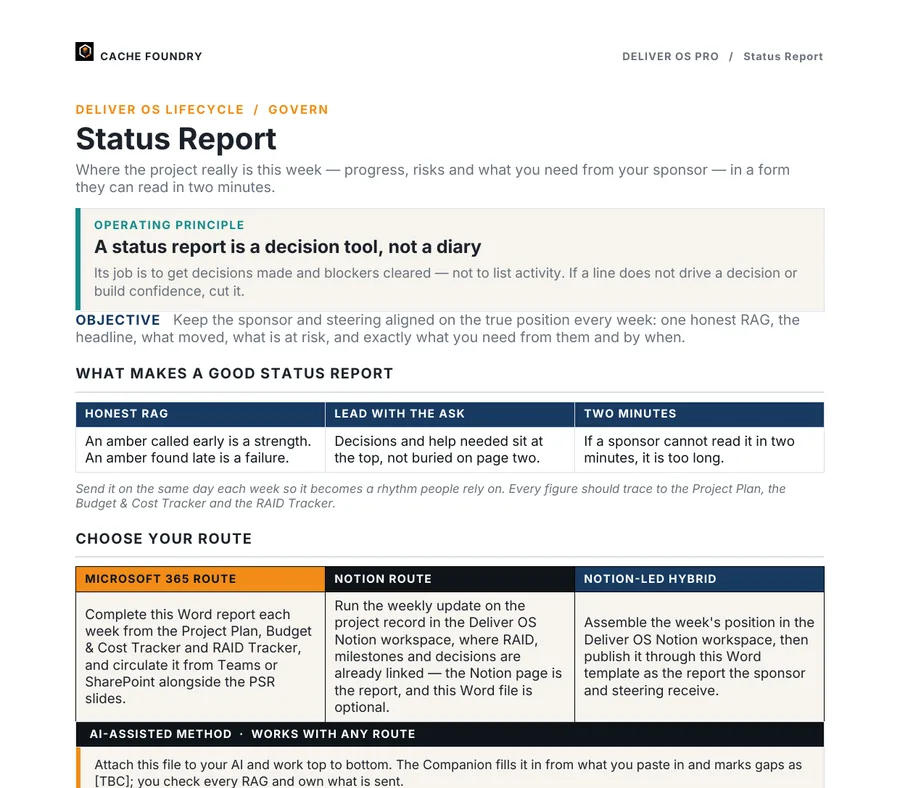
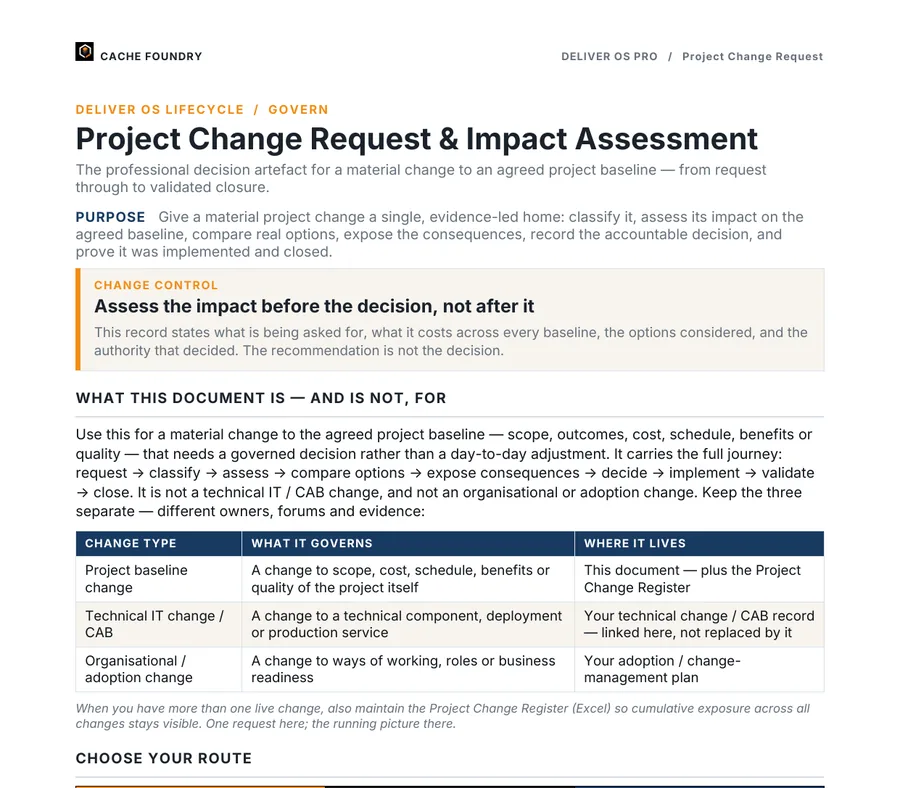
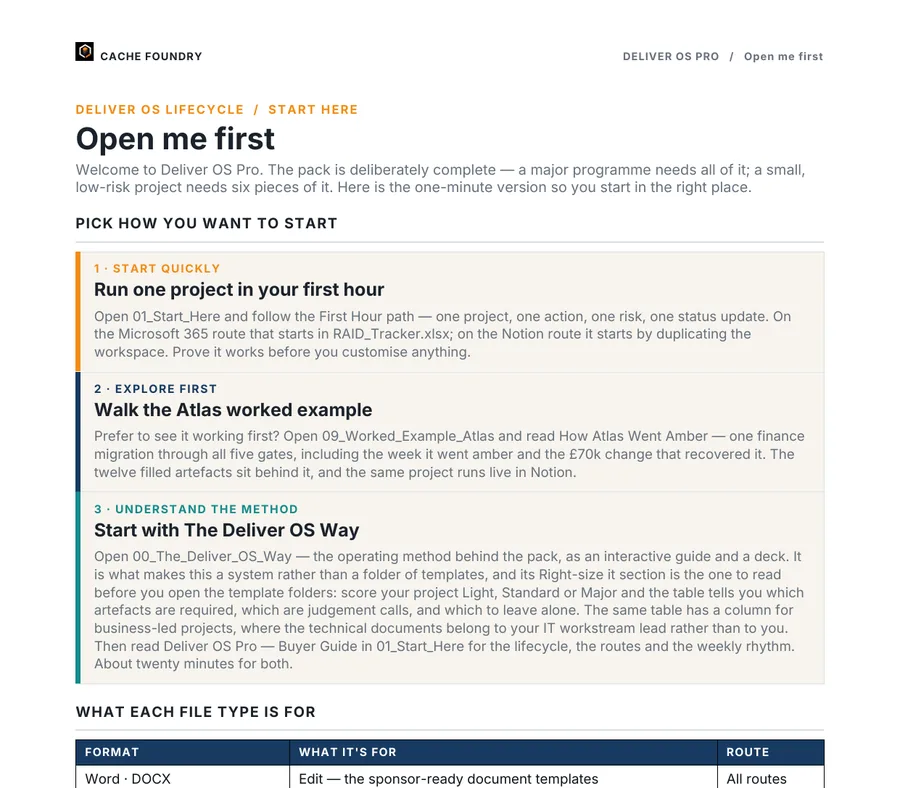
A selection of first pages from the 55 documents: blank templates, control tools and the finished Atlas worked example.

What’s inside

From the first charter to the last lesson learned.

Every stage, covered.

Discover, Design, Plan, Deliver, Govern and Learn. Each stage has the documents it needs, built for that moment in the project.

In the boxBusiness case, charter, RACI, requirements, solution design, test strategy, plan, status, change, closure and more. 55 documents: 30 templates and control tools, the AI Prompt Companion, 12 finished worked-example documents and the guides that show you how to run it. Plus filled samples of six trackers.
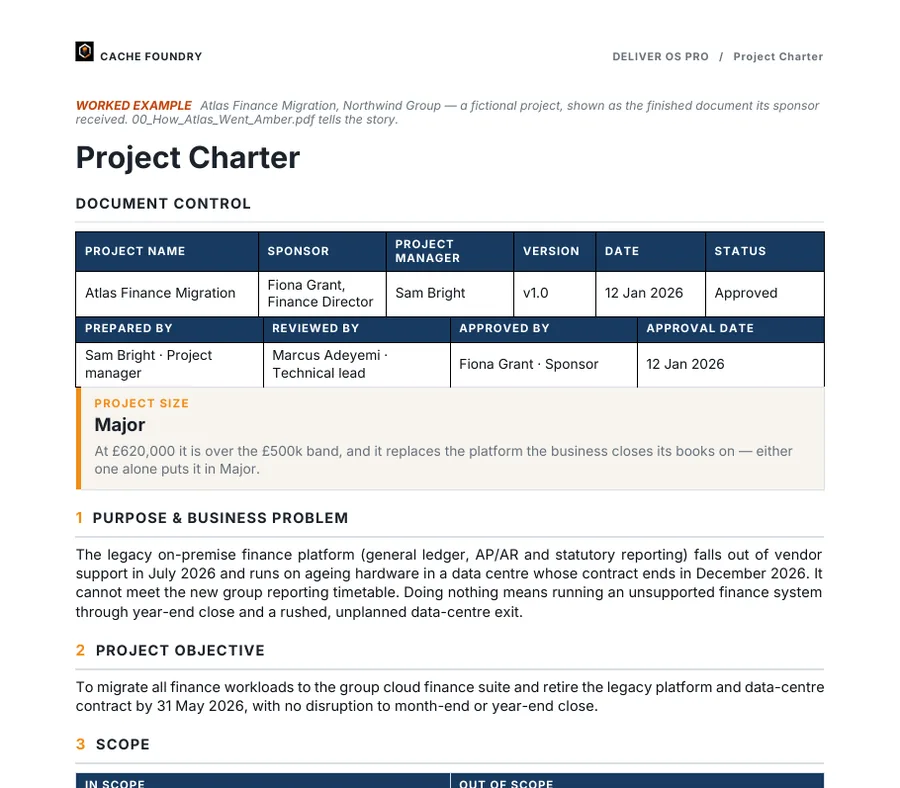
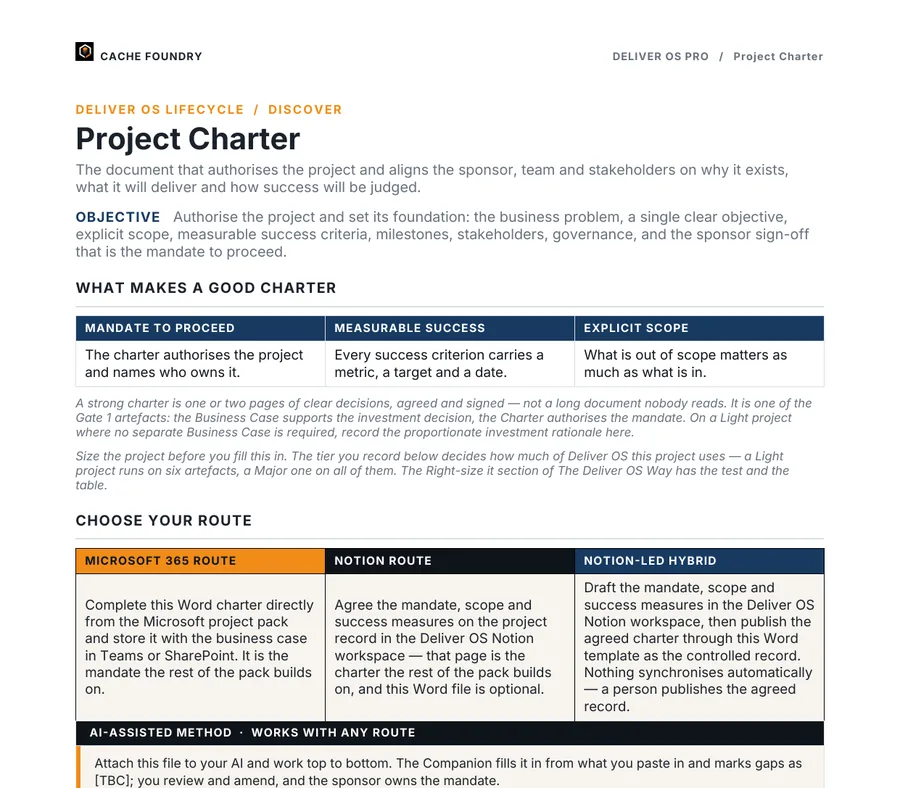
Page one of the Atlas Project Charter in Word.DOCX
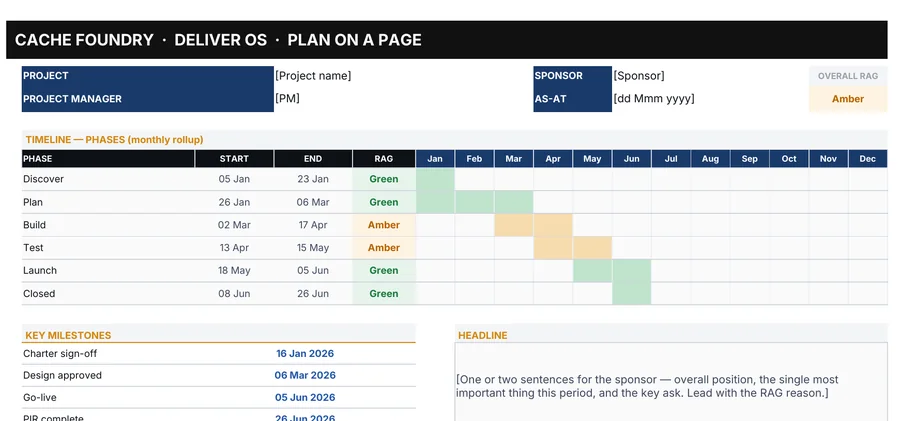
The timeline tab of the Project Plan workbook in Excel, phases Discover to Closed with RAG status by month.XLSX
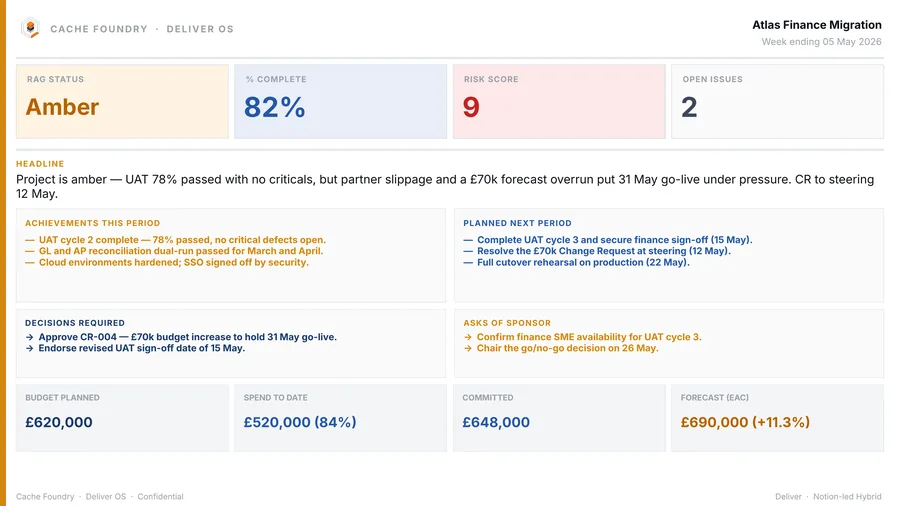
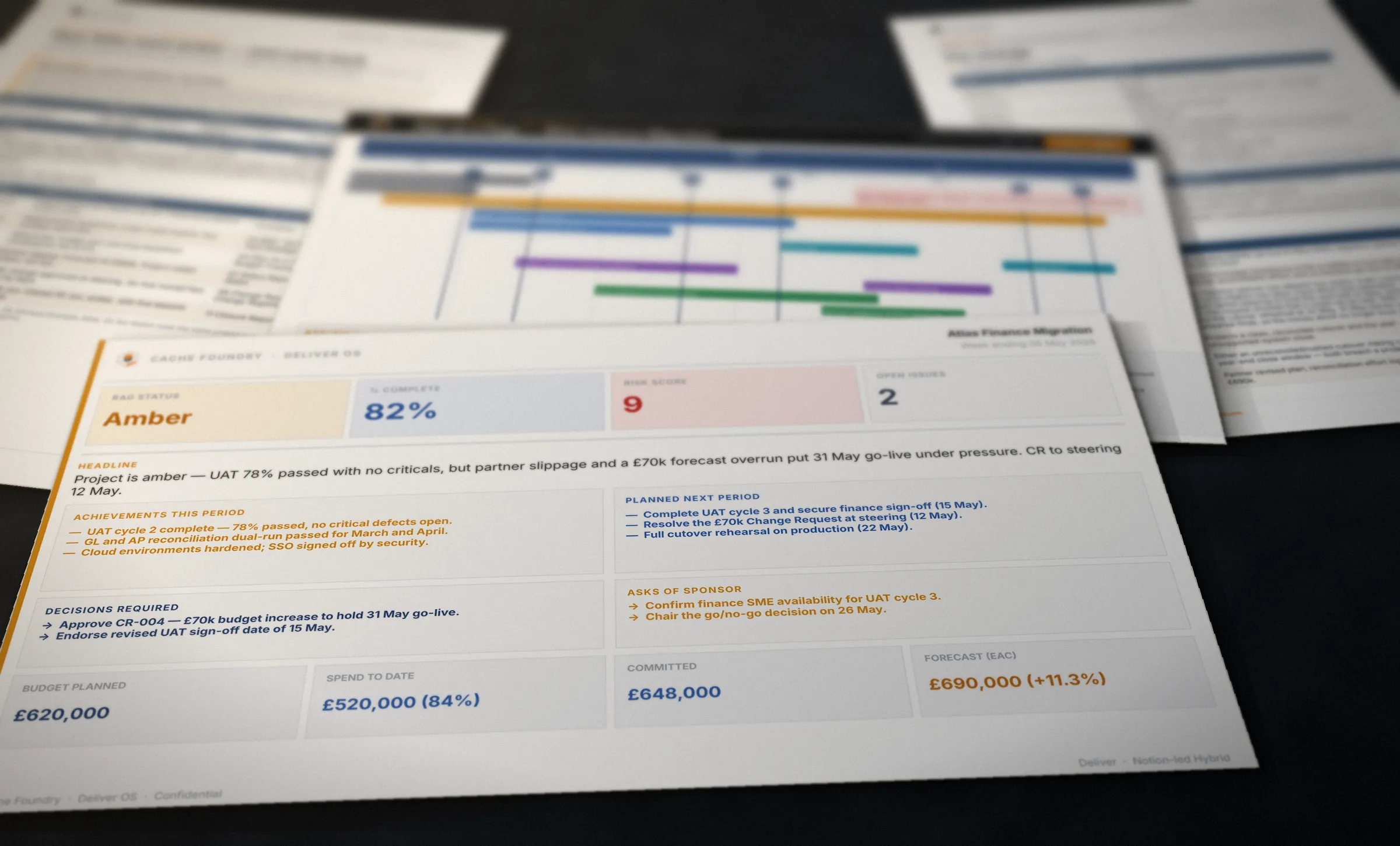
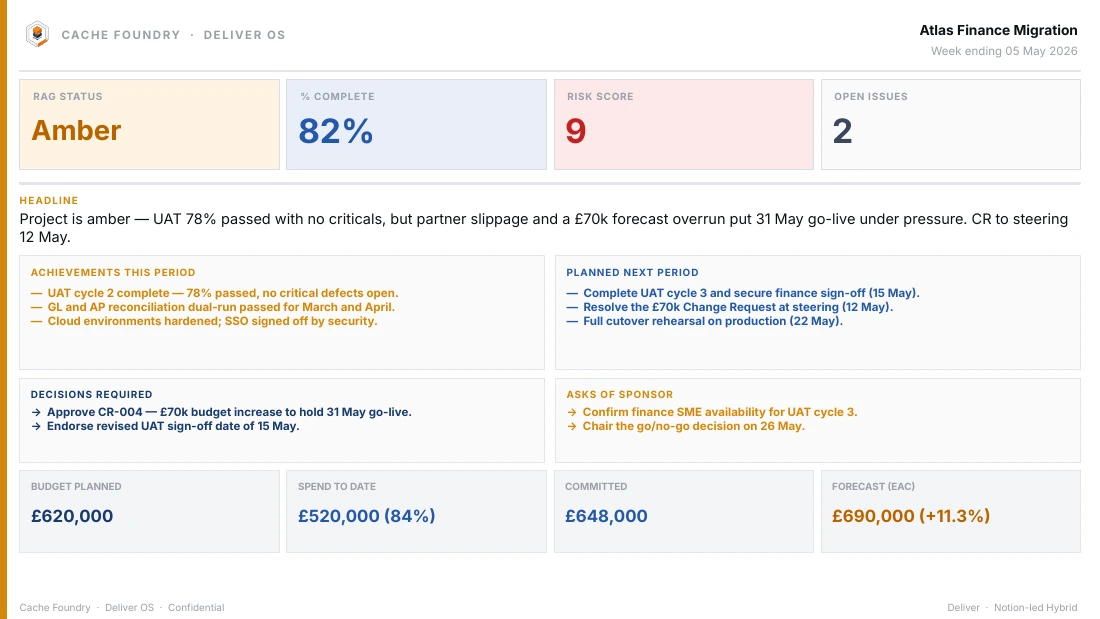
The Atlas weekly status slide in PowerPoint: amber, 82% complete, decisions required and the budget row.PPTX
The Atlas charter in Word, the project plan’s timeline in Excel and the Atlas weekly status slide in PowerPoint

Trackers that do the sums.

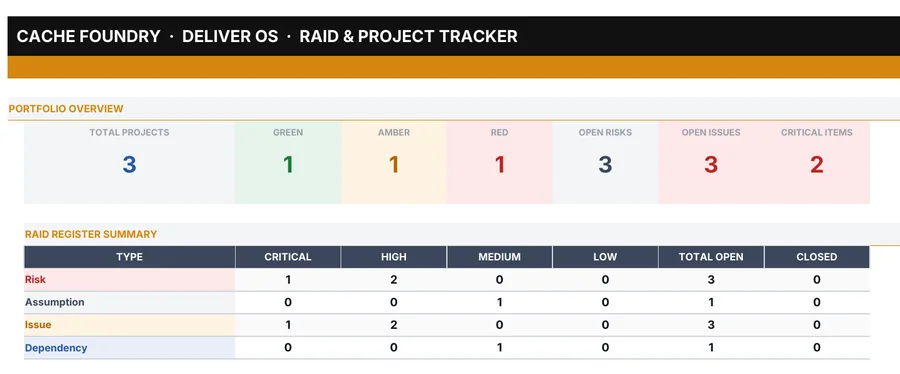
Budget, RAID, plan, gate readiness and change. Enter a figure once and each tracker works out its own forecasts, variances and dashboard.

Built forThe sponsor and finance asking where the money is going, and getting a straight answer.

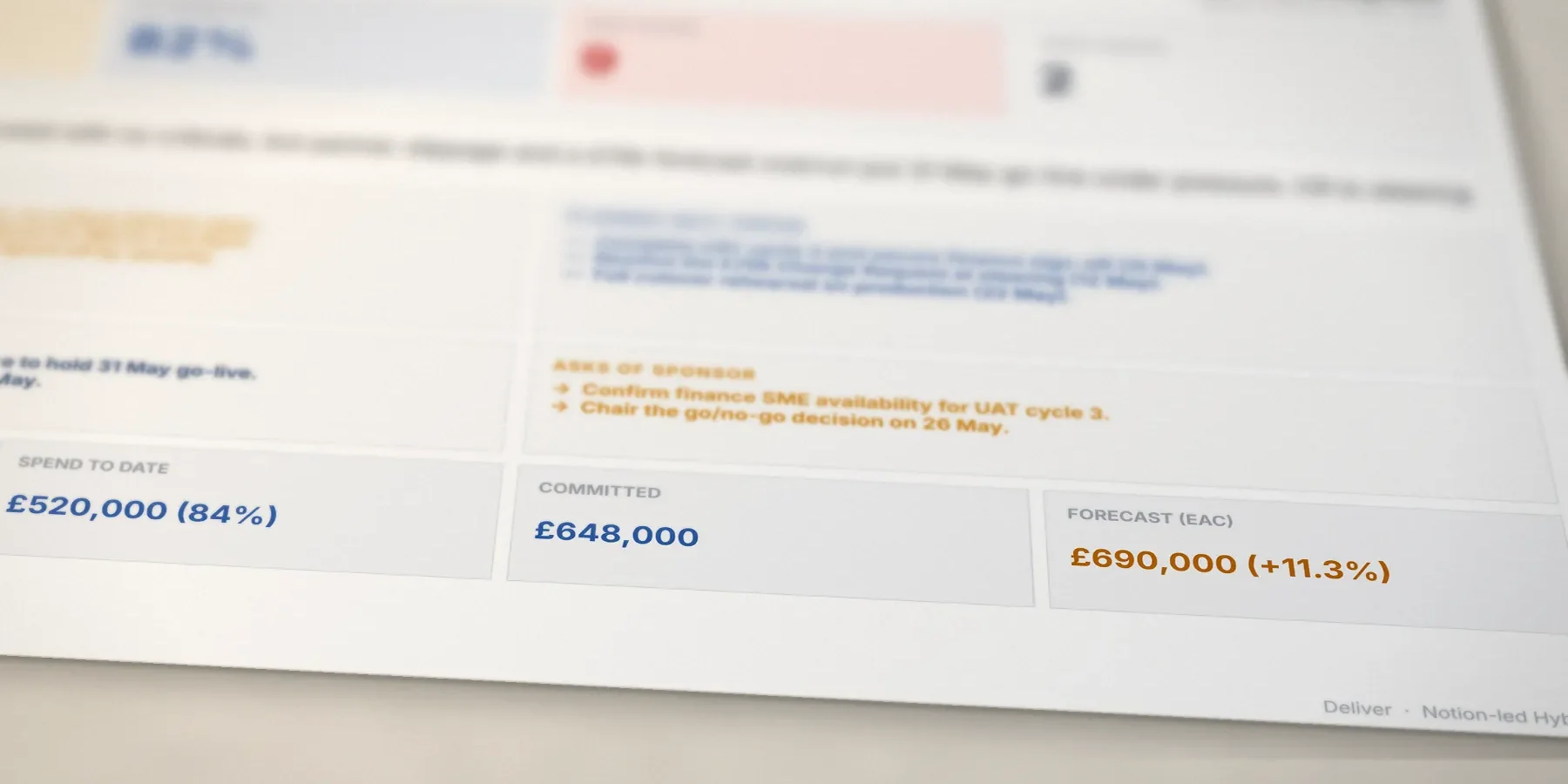
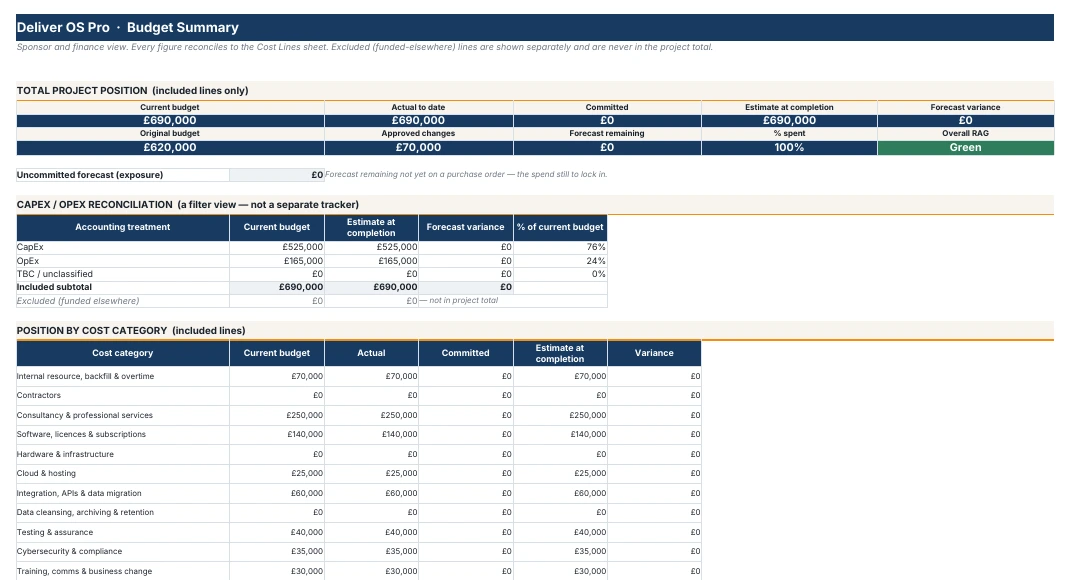
The Atlas money row: spend to date £520,000 (84%), committed £648,000, forecast at completion £690,000, 11.3% over the £620,000 baseline.
Atlas sponsor page · money row

Reports a sponsor can act on.

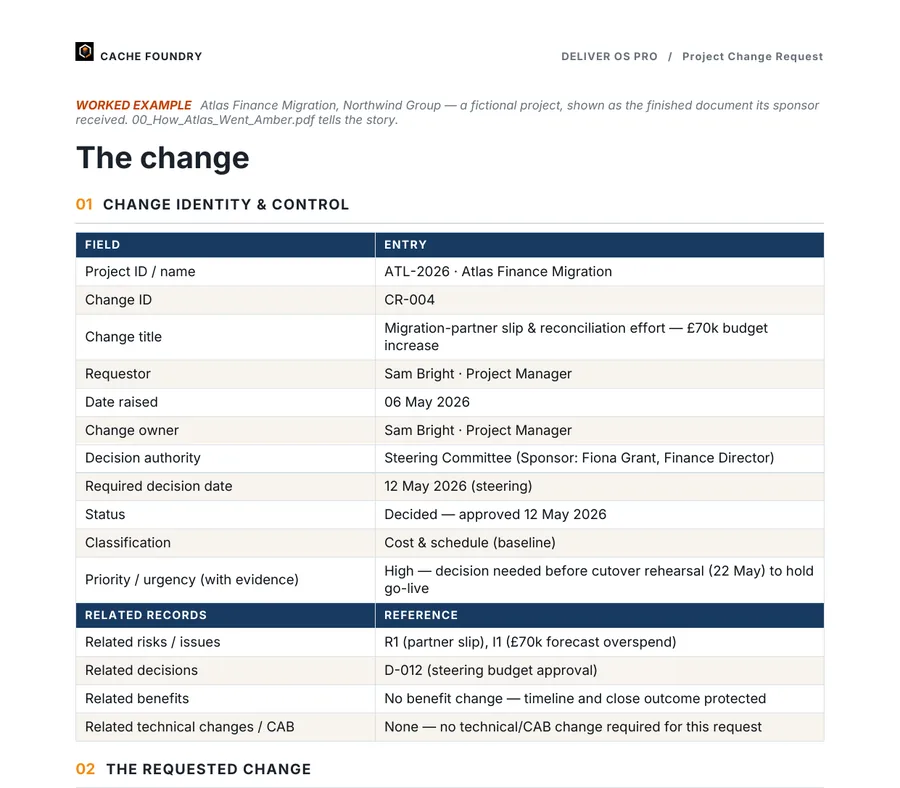
Status in Word or PowerPoint, the plan on a single slide, and change requests that put the decision in front of the people who make it.

Built forSteering groups, boards and the sponsor who has five minutes before the meeting.

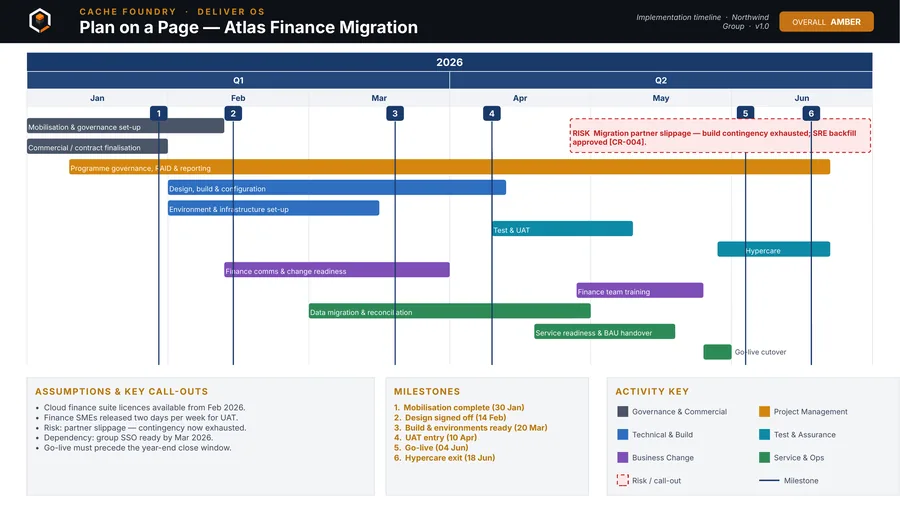
The Atlas Plan on a Page, rebuilt here so you can watch it come together. In the pack it is a PowerPoint slide.

Everything in the box

WhatFilesIncludes
DOCX Word templates18Charter, business case, options appraisal, RACI, stakeholder plan, requirements, solution design, HLD, LLD, test strategy, status report, change request, closure report
XLSX Excel control tools9RAID tracker, project plan, budget and cost tracker, change register, decision log, gate readiness, traceability matrix, user stories, lessons learned
PPTX PowerPoint3Weekly status slides in light and dark, plan on a page
HTML AI Prompt Companion1120 prompts across the lifecycle, each with its inputs, checks and the document it fills. Runs in your browser
ATLAS Worked example12A finished project, from business case to closure report
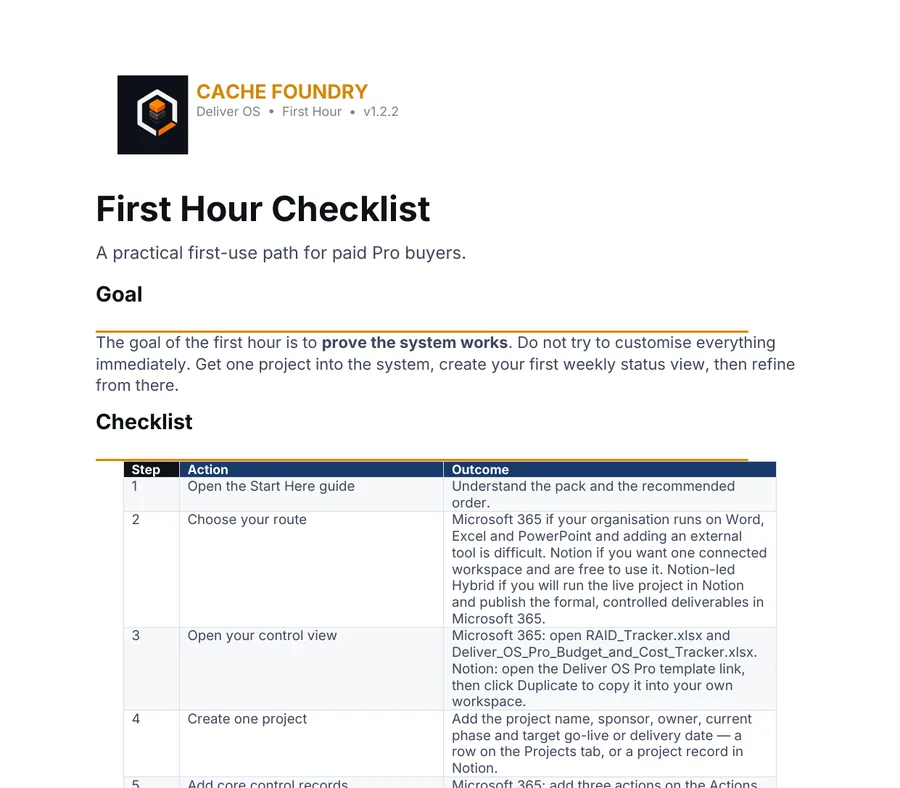
GUIDE Guides and reference12Buyer guide, first hour checklist, weekly control guide, adoption guide and workbook, The Deliver OS Way
Documents55
Plus
HTML Other browser apps2FAQ and support, The Deliver OS Way
XLSX Sample trackers6Filled copies of six trackers, so you can see them working before you start your own
NOTION Notion workspace1The Command Centre and linked databases, duplicated into your own account

What good looks like

A status headline a sponsor can act on.

Typical
Project is progressing well overall. Some delays in testing. Budget is being monitored closely.

No status, no numbers, no decision. The sponsor has to ask three questions before they know anything.

Deliver OS
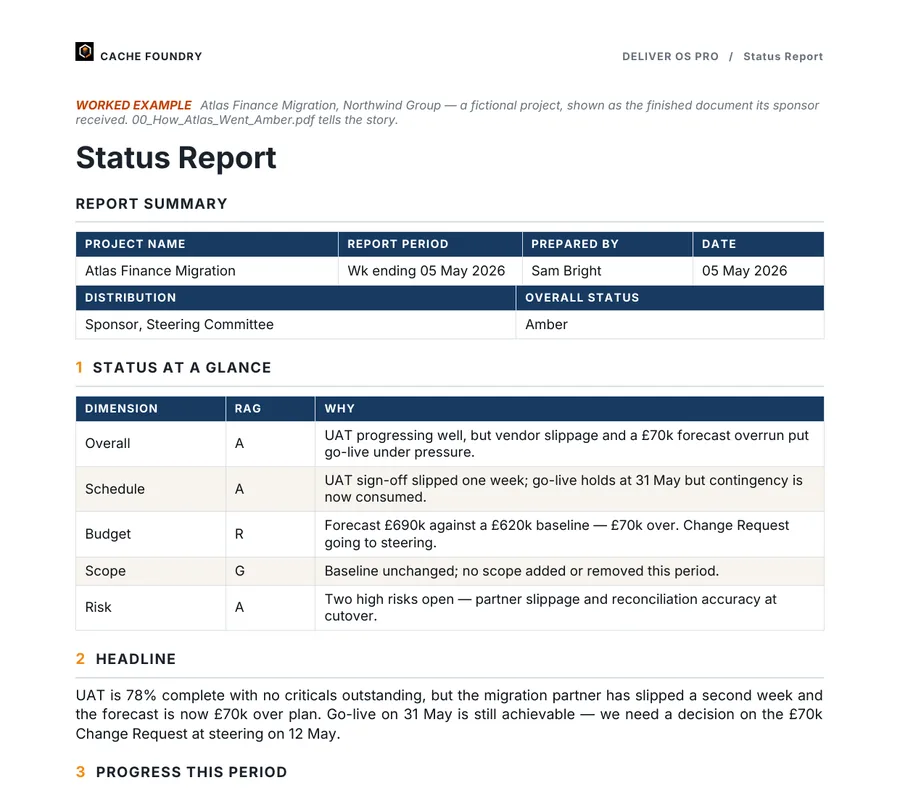
Project is amber — UAT 78% passed with no criticals, but partner slippage and a £70k forecast overrun put 31 May go-live under pressure. CR to steering 12 May.
  1. States the RAG first
  2. Gives the evidence
  3. Names what threatens the date
  4. Says what decision is coming, and when

Quoted from the Atlas weekly status slide.3 Prompt #47 writes the headline from the facts you give it, and the template shows you the standard.

Instructions, then an example

Every template tells you how to fill it. Then shows you one that’s finished.

  • Guidance at the front. What good looks like, which route you are on, and the exact prompts to run, numbered. Delete down to GUIDANCE ENDS HERE and your document starts on the next page.
  • A finished Atlas version beside it. The same document as its sponsor received it, so you can see the standard before you write a word.
  • Judgement left to you. Cells that record a decision, like RACI letters and scope calls, are placeholders. Nothing ships with a default nobody agreed.
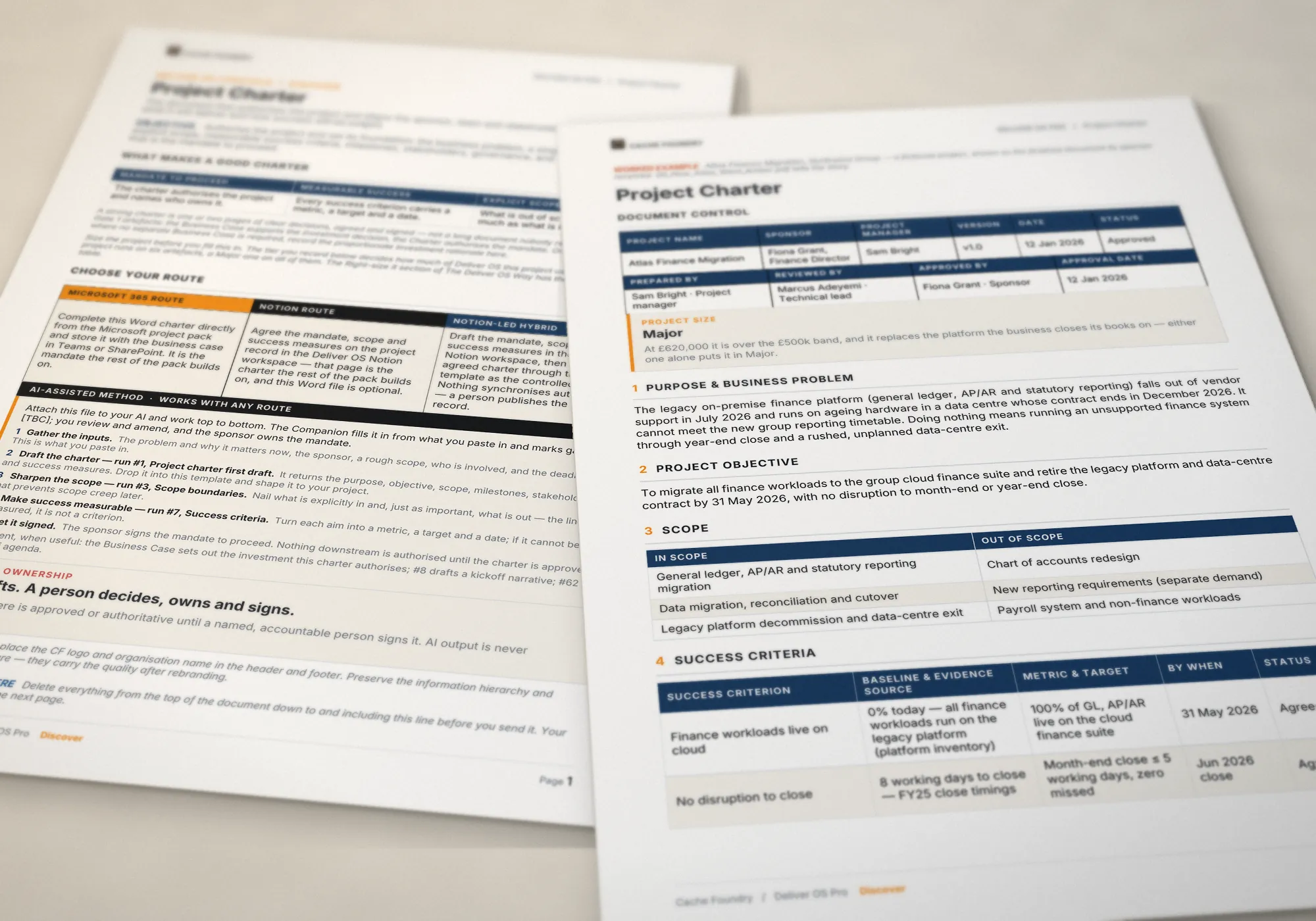
The blank Project Charter template, showing its guidance and route panel, lying beneath the finished Atlas Project Charter.

Drag across: the template as you get it, then the finished version

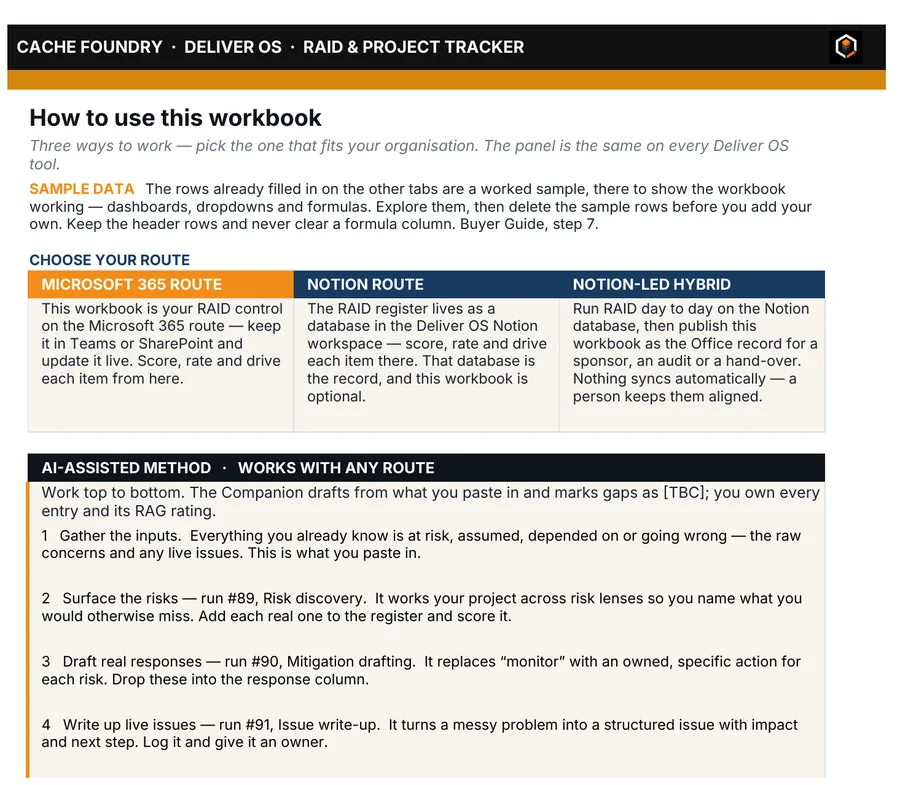
Page one of the Atlas Project Charter, filled in: document control, project size Major, purpose, objective and scope.Page one of the blank Project Charter template: what makes a good charter, a route panel for Microsoft 365, Notion and Notion-led Hybrid, and the AI-assisted method naming prompts #1, #3 and #7.

Left the template’s first page: what good looks like, which route you’re on and which prompts to run. Delete it and your document starts on the next page Right the finished Atlas charter

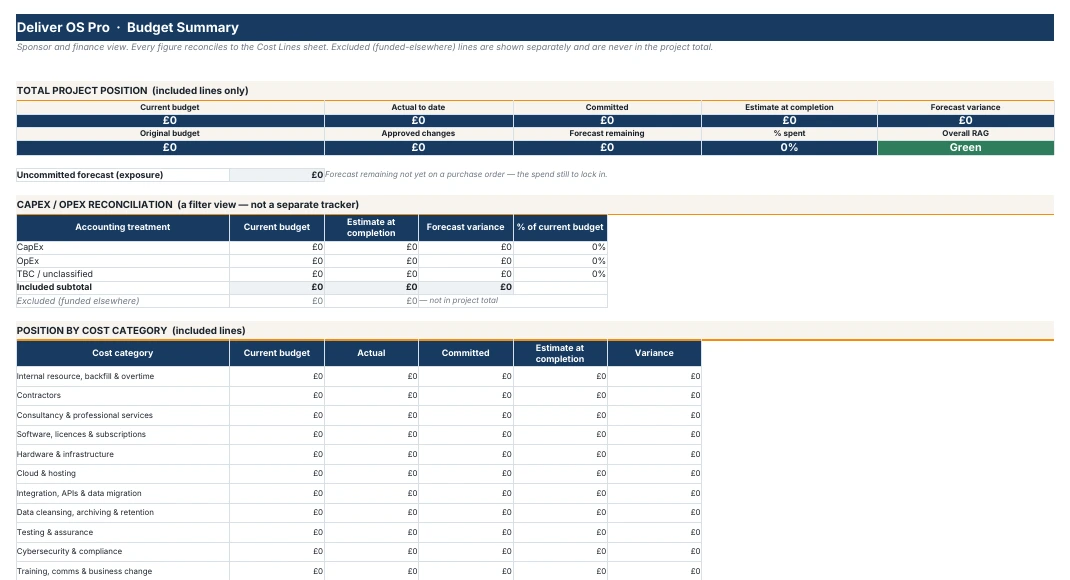
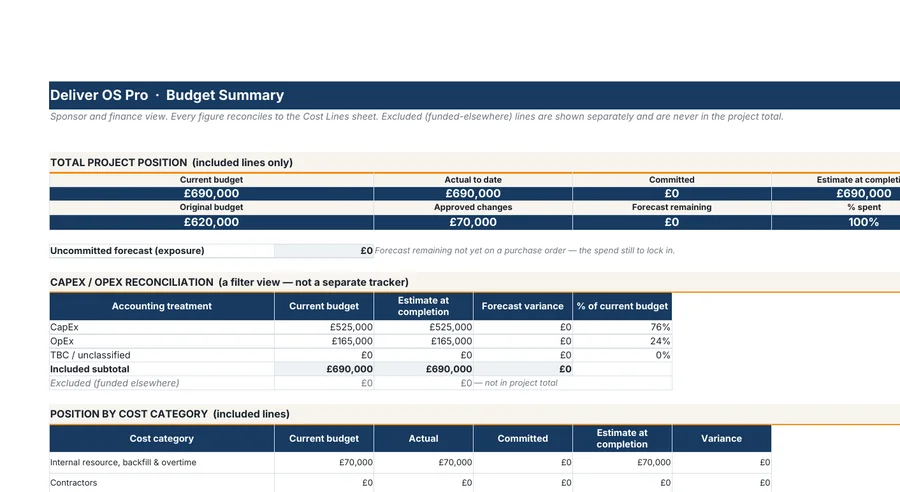
The Budget Summary sheet of the Atlas Budget and Cost Tracker: £620,000 original budget, £70,000 approved change, £690,000 current budget, split £525,000 CapEx and £165,000 OpEx.The Budget Summary sheet of the blank Budget and Cost Tracker: every total at £0, ready for your cost lines.

Left the tracker as you receive it, ready for your figures Right the Atlas tracker, filled in

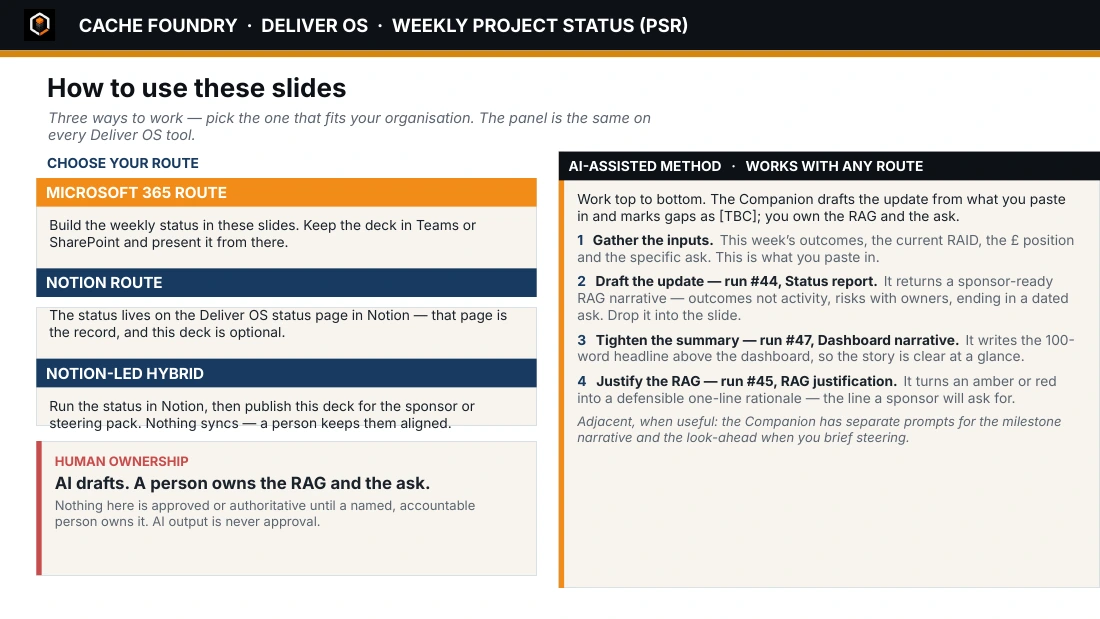
The Atlas weekly status slide for week ending 5 May 2026: amber, 82% complete, headline, decisions required, asks of the sponsor and the budget row.The first slide of the Weekly Status (PSR) template: how to use the slides on each route, the prompts to run and the human ownership rule.

Left the deck’s first slide: how to use it on each route and which prompts to run Right the finished Atlas status slide

Three routes

Run it where you already work.

All three routes are complete. Pick one now and change later.

DOCXXLSXPPTX

Microsoft

Word, Excel and PowerPoint. Nothing else to sign up for.

Needs Microsoft 365 or Office

NOTION

Notion

One linked workspace: Command Centre, databases and dashboards.

Needs a free Notion account

NOTIONDOCX

Hybrid

Run the project in Notion. Publish formal documents from Word.

Needs both

A method and a set of files. Not software.

New software can take months to get approved. On the Microsoft route there is nothing to install, licence or approve. Nothing syncs in the background, so nothing changes unless a person changes it.

Delivery shouldn’t depend on heroics.

It should run on a system: the same documents, the same controls and the same standard, on every project you run.

The Atlas worked example spread across a desk: the walkthrough, the change request, the Plan on a Page and the sponsor page.
  1. DiscoverCharterScope, outcomes and who signs. The baseline everything else is measured against.
  2. PlanBaselineDates, money and gates, set before the work starts.
  3. DeliverControlStatus, RAID, change and decisions, every week.
  4. LearnClosureWhat was delivered, judged against the charter you started with.

The documents are built to follow on from each other: the charter sets the baseline, the plan and budget hold it, and status, change and closure report against it. On the Microsoft 365 route you, or your AI, carry the figures from one file to the next. On the Notion route the records are linked in one live workspace. The Atlas worked example shows the whole thread, start to finish.

Who built it

Built from twenty years of running the work.

Deliver OS comes from more than 20 years delivering large-scale projects and transformation, and it is built by someone still running a live portfolio today.

Plenty of project templates are made by designers. They look good until a sponsor starts asking questions. These were made by someone who has had to stand behind them: in steering meetings, in front of auditors and at go-live.

  • Lead with the decision.Every document opens with what the reader has to decide, not the admin.
  • Size the paperwork to the project.A small project needs a handful of documents. The method tells you which.
  • AI drafts. A person signs.Nothing is approved until a named person owns it.
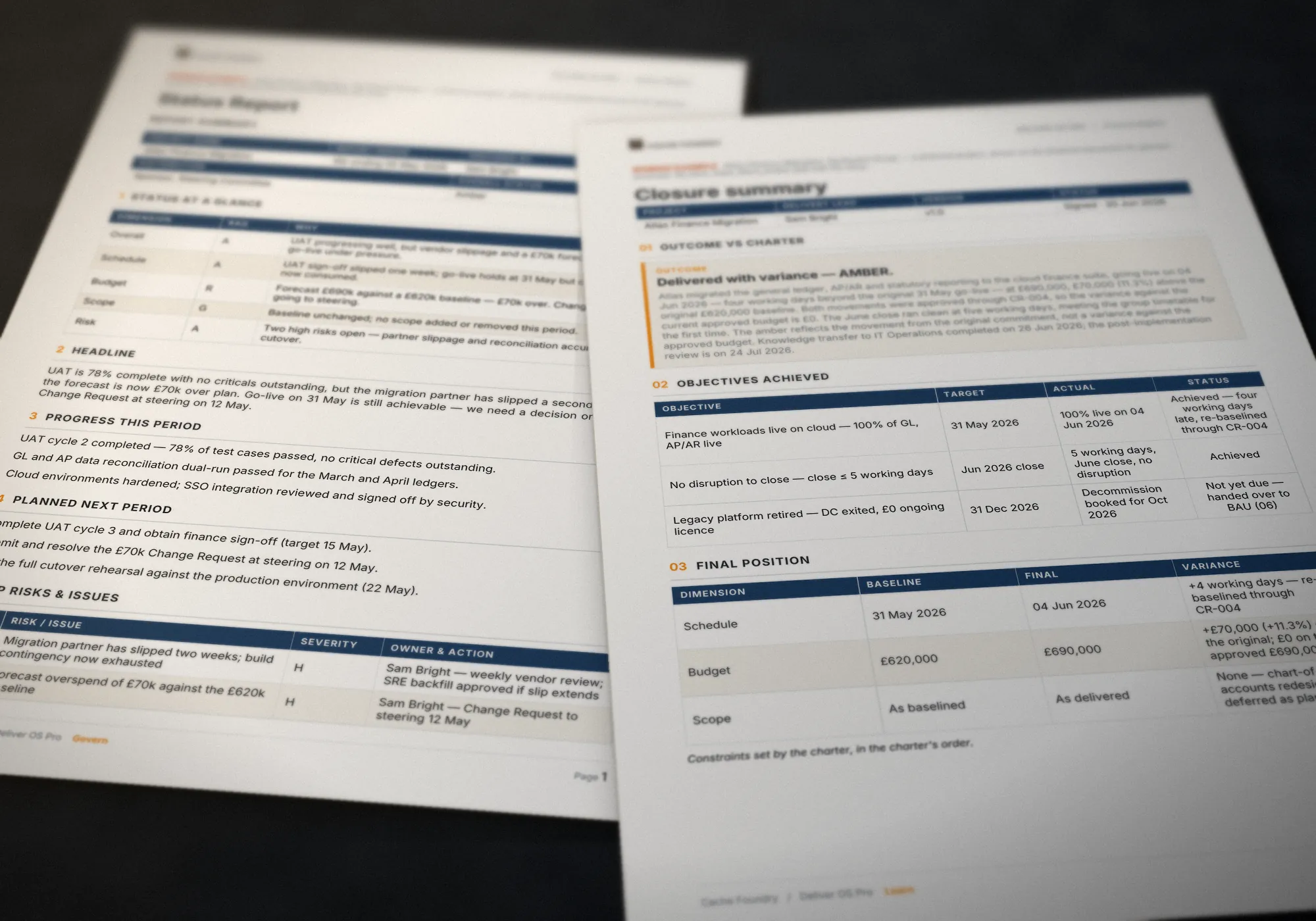
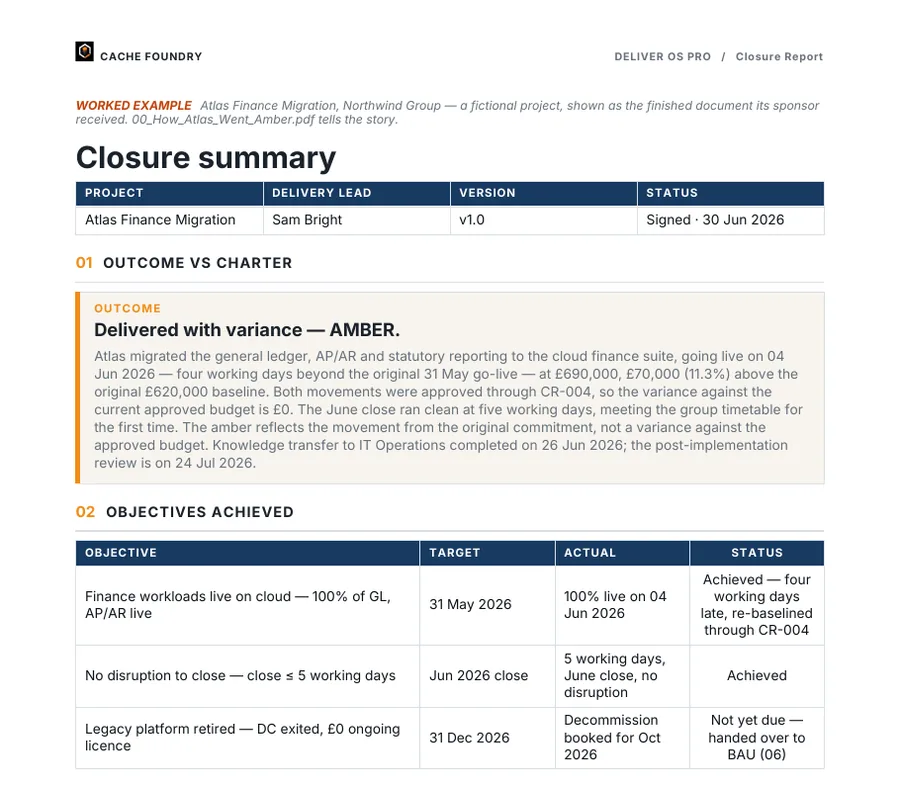
The Atlas status report and closure report on a dark desk.
Atlas closed on 30 June: live four working days late, £70,000 over its original commitment, with five lessons recorded.

The AI Prompt Companion

The AI drafts. It never approves.

120 prompts for project delivery in one app that runs in your browser. Each states the inputs it needs, names the document the output belongs in, and ends with checks you run before anything leaves your hands.

  1. You paste the evidence you hold, or attach the template.
  2. The prompt drafts into the document it names.
  3. Anything it wasn’t given is marked [TBC], not invented.
  4. You review, amend and resolve the gaps.
  5. A named person signs. AI output is never approval.

Tested in Claude, ChatGPT and Copilot.2 The prompts are plain text, so they run in whichever of these your organisation has approved. What differs is what the tool hands back: a filled document, or text you paste into the template. Nothing you type in the Companion is stored or sent anywhere.

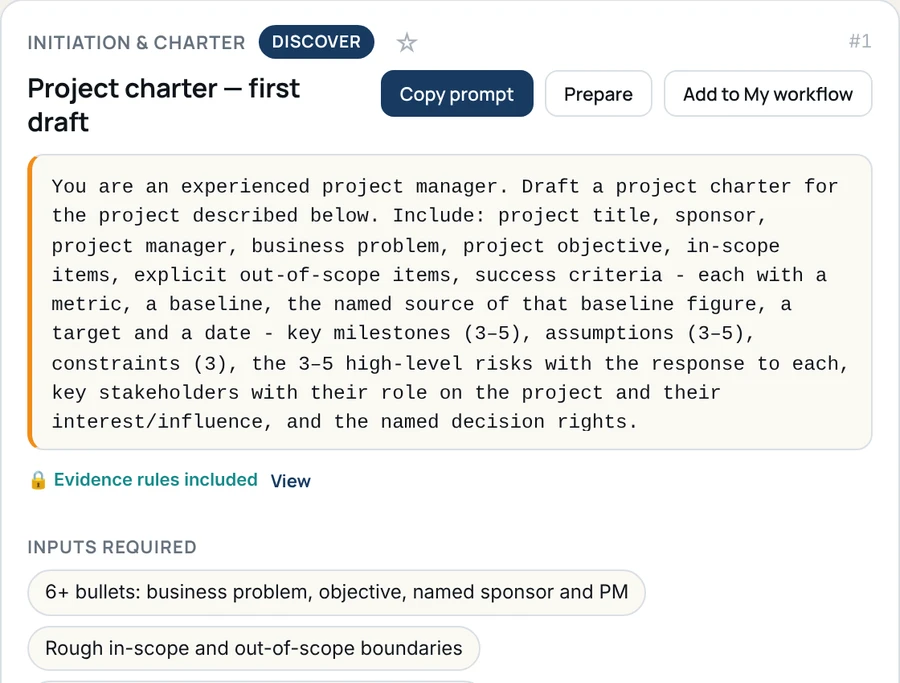
Prompt #1, Project charter first draft, in the AI Prompt Companion: Copy prompt, Prepare and Add to My workflow buttons, the prompt text, evidence rules included, and the inputs it needs.
Prompt #1 · the prompt, the inputs it needs and where the output goes

Deliver OS Pro

£99 including UK VAT5 · pay once, use forever · free updates

If anything in the pack is faulty or not as described, we fix it or refund you (refund policy).

Microsoft, Notion or Hybrid. All three routes complete.
55 documents, including 30 templates and control tools, a finished worked example and the AI Prompt Companion with 120 prompts. Instant download.

Notes

  1. Counts are for Deliver OS Pro v1.2. The 55 documents are 30 templates and control tools, the AI Prompt Companion, 12 finished worked-example documents and 12 guides. On top come two more browser apps (the FAQ and The Deliver OS Way), the Notion workspace and filled sample copies of six trackers. ↩
  2. Tested in Claude, ChatGPT and Copilot. What comes back depends on the tool: some return the filled file, others return text you paste into the template, and the route notes in the pack cover each one. Gemini and Notion AI are not among the tested assistants. ↩
  3. Atlas Finance Migration is a fictional project, written for the pack so that every document can be shown finished and consistent with the others. ↩
  4. The Microsoft route needs Microsoft 365 or a standalone copy of Office. The Notion route needs a free Notion account. Use whichever AI assistant your organisation allows. ↩
  5. The UK price includes 20% VAT, which Gumroad adds at checkout. Buyers outside the UK pay £82.50 plus any local tax. ↩