
Microsoft 365
Run and publish the project in Word, Excel and PowerPoint, stored in Teams or SharePoint. Nothing else to sign up for. Start with the RAID Tracker and the Buyer Guide.
Deliver OS Pro
A connected set of controls, documents and reporting that carry one project from mandate to closure with the evidence intact at every step. You enter something once; the system does the arithmetic, the flagging and the roll-up.
Built by a delivery leader who runs a live portfolio of projects, not by a design studio.
See it work
Follow one risk on the Atlas worked example: logged once, carried into the budget, decided at steering, and reported to the sponsor without anyone rewriting it.
Business, change and IT projects, from a Light project that needs six documents to a Major one that needs them all. Choose the one that sounds like you.
No portfolio platform and no PMO handing you templates. Maybe SharePoint, a shared drive and whatever the last project manager left behind.
Deliver OS gives you the controls a big tool would, in Word, Excel and Notion you already have: a RAID log that flags what’s overdue, a budget tracker that shows the forecast and why it moved, and a status report a sponsor can act on.
Start withRAID & Project TrackerBudget & Cost TrackerStatus ReportFirst Hour Checklist
You can see your organisation’s project paperwork could be better, and you’d rather show what better looks like than argue for it.
Run one project on it. Atlas shows your sponsor the finished standard, every document filled in. The Gate Readiness Assessment shows why a project hasn’t earned its next gate, and The Deliver OS Way explains the method in terms you can take to a steering group.
Start withAtlas worked exampleGate Readiness AssessmentSteering pack (PSR)The Deliver OS Way
You move between engagements and need documents you trust, that you can adapt to each client and bring with you to the next.
The licence covers work for your employer or your clients. Every template opens blank, with its guidance at the front, so it adapts to each engagement. The method tells you which documents a project of that size needs, so you don’t bury a small client in paperwork.
Start withProject CharterChange RequestRACIClosure Report
Deliver OS Pro is not project-management software. It doesn’t replace Jira, MS Project, Primavera or Monday.com; it works alongside them, as the layer where governance, reporting and decisions live. It isn’t an autonomous AI project manager. And if what you need is a scheduling engine, this won’t help.
The lifecycle
Frame the problem, the case and the stakeholders.
Business Case, Options Appraisal, Charter, RACI, Stakeholder Plan
Turn needs into requirements, a design and a test strategy.
BRD, Requirements Specification, User Stories, HLD, LLD, ADR, Test Strategy
A credible baseline of schedule and money.
Project Plan, Budget & Cost Tracker, Plan on a Page
Report, decide, control change, go live.
Status Report, PSR slides, Decision Log, Change Request, Change Register
Close honestly and keep what you learned.
Closure Report, Lessons Learned Log
Running a project with a technology workstream? The Design stage carries the documents an IT lead expects: BRD, Requirements Specification, User Stories, High- and Low-Level Design, Solution Design, Architecture Decision Records and a Test Strategy, with a Requirements Traceability Matrix to tie them together. Eight prompts cover technical change: CAB, deployment runbooks, rollback, cutover, hypercare and post-mortems. On a business or change project, the method tells you which of these you can leave to your specialists, or skip.
Right-size it
| Size | Typical shape | What it runs on |
|---|---|---|
| Light | Under ~£50k · under 3 months · one team | Six: Project Charter, RAID Tracker, Project Plan, Status Report, Decision Log, Closure Report |
| Standard | ~£50k–£500k · 3–12 months · several teams | The six, plus the controls the matrix marks for Standard: business case, requirements, budget, change control |
| Major | Over ~£500k · over 12 months · organisation-wide | All of it |
Move up a tier if two or more are true: regulated or sensitive data, more than one supplier, it replaces something the business can’t run without, new technology or vendor, board or regulator visibility, benefits already committed in someone else’s budget.
Three routes
Run and publish the project in Word, Excel and PowerPoint, stored in Teams or SharePoint. Nothing else to sign up for. Start with the RAID Tracker and the Buyer Guide.
Run and publish the project in the Deliver OS workspace: projects, actions, RAID, change control, stakeholders, meetings, financials, resourcing, a test and QA module, a document hub and the Command Centre. Works on Notion’s free plan. On this route the Notion record is the artefact and the Word file is optional.
Run the live project in Notion; publish the formal, controlled deliverables through the Microsoft 365 templates. Notion stays the operational source of truth, and publication is a deliberate step at agreed control points. Nothing synchronises automatically.
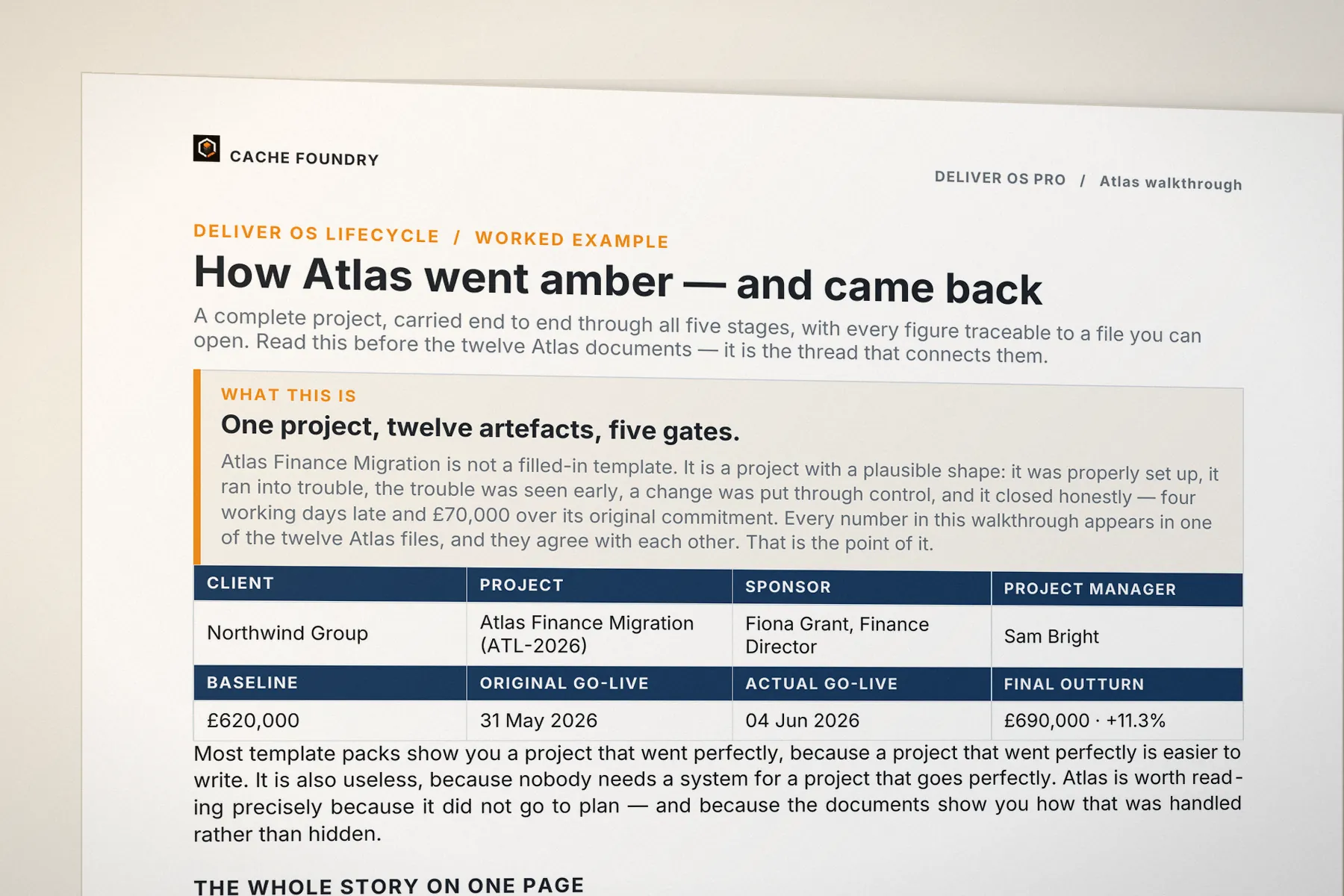
Atlas Finance Migration
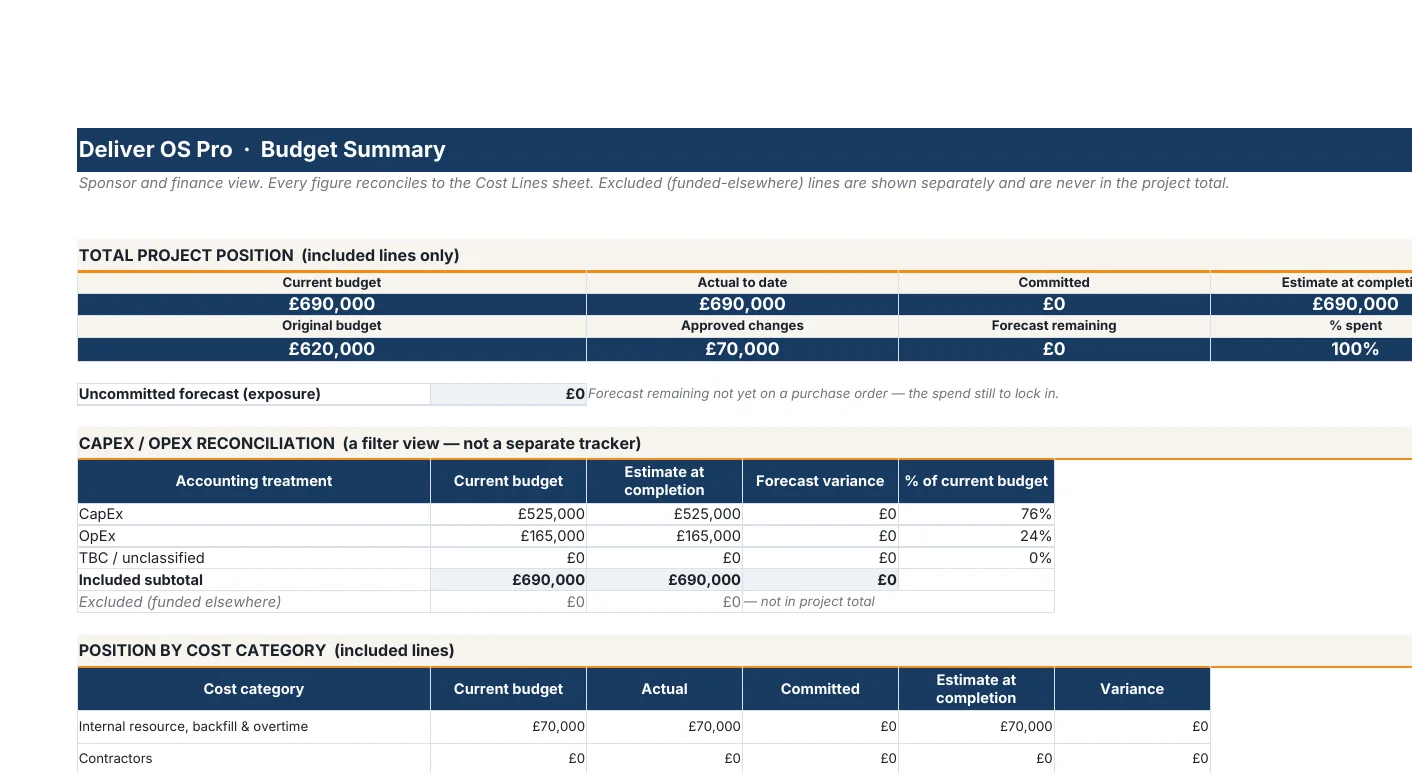
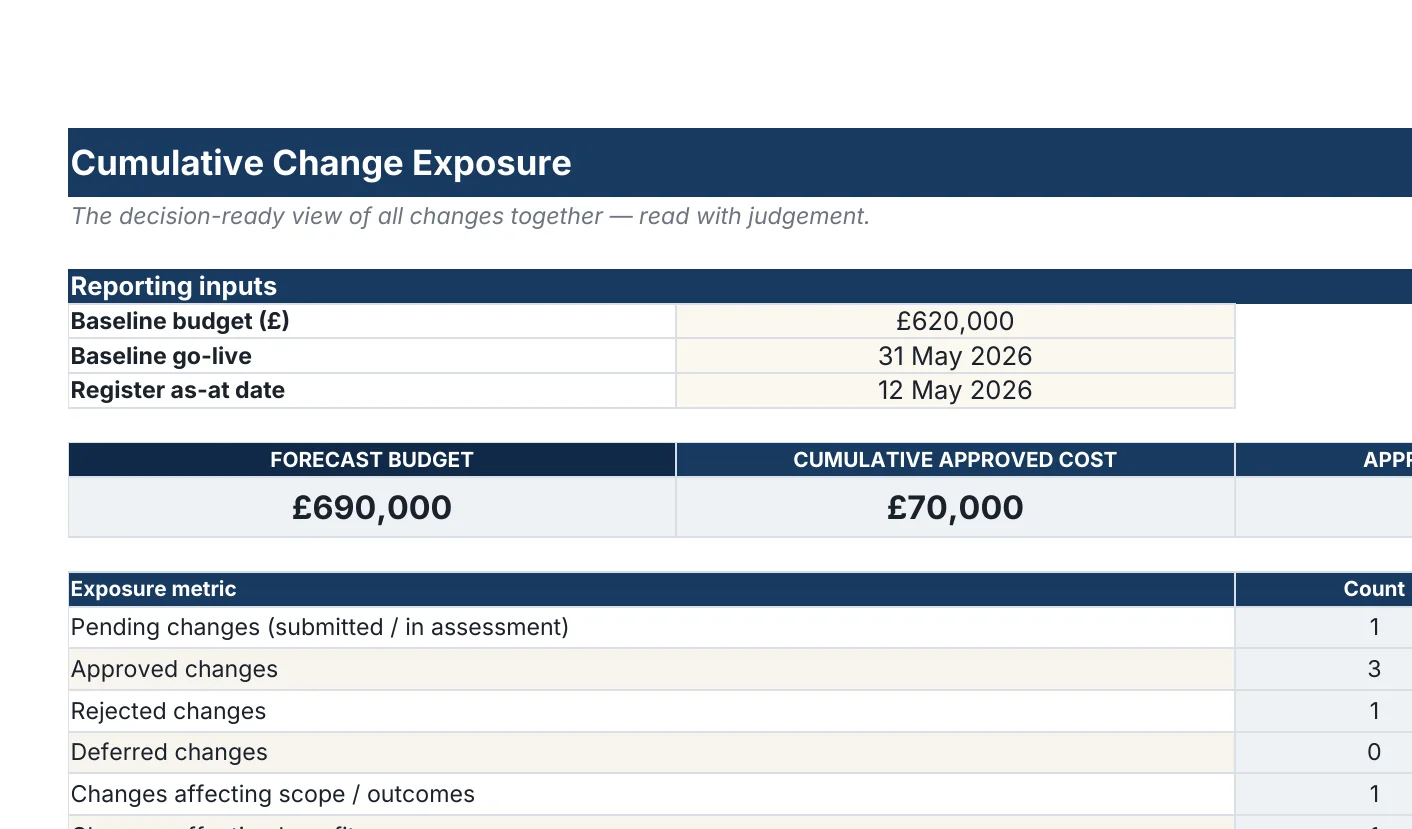
Atlas ships with the pack: a fictional finance migration for a fictional client, filled in end to end across 12 documents and opened by a narrated walkthrough. A migration partner slips, the build contingency goes, a £70,000 change goes to steering, and go-live moves four working days. The risk raises the change, the change moves the forecast, the forecast moves the variance, and the sponsor page reports all three.
Most packs show a project that went perfectly. Nobody needs a system for that.
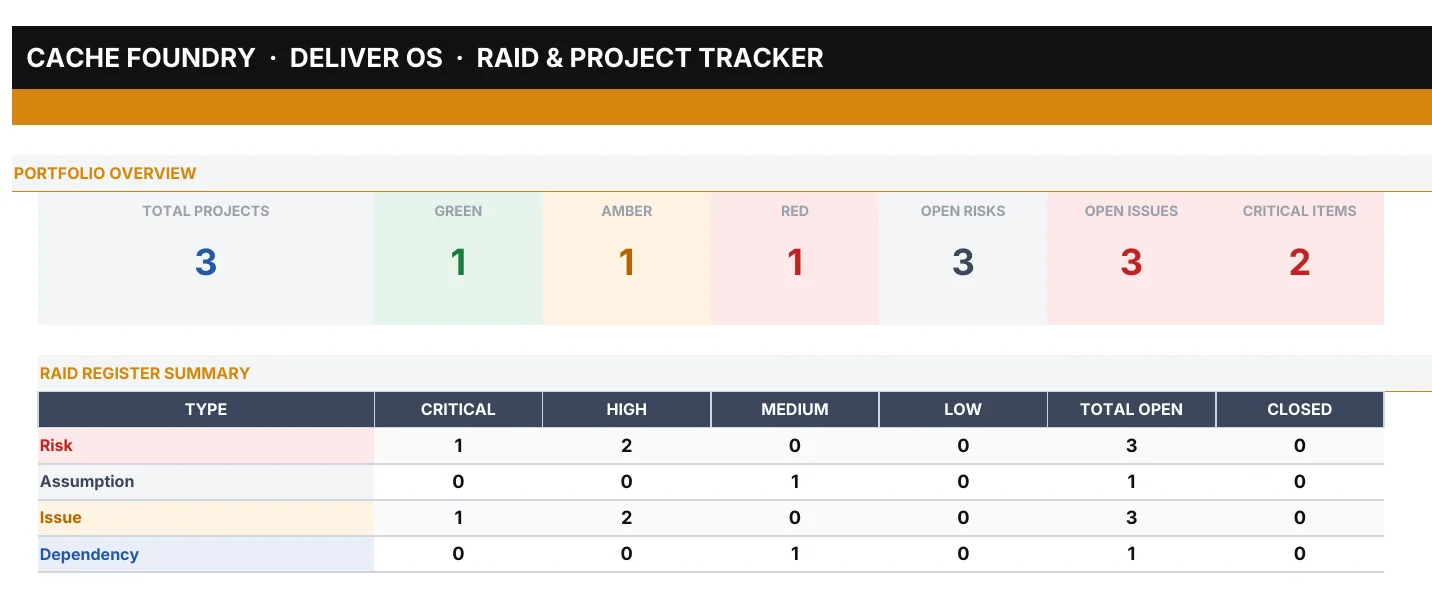
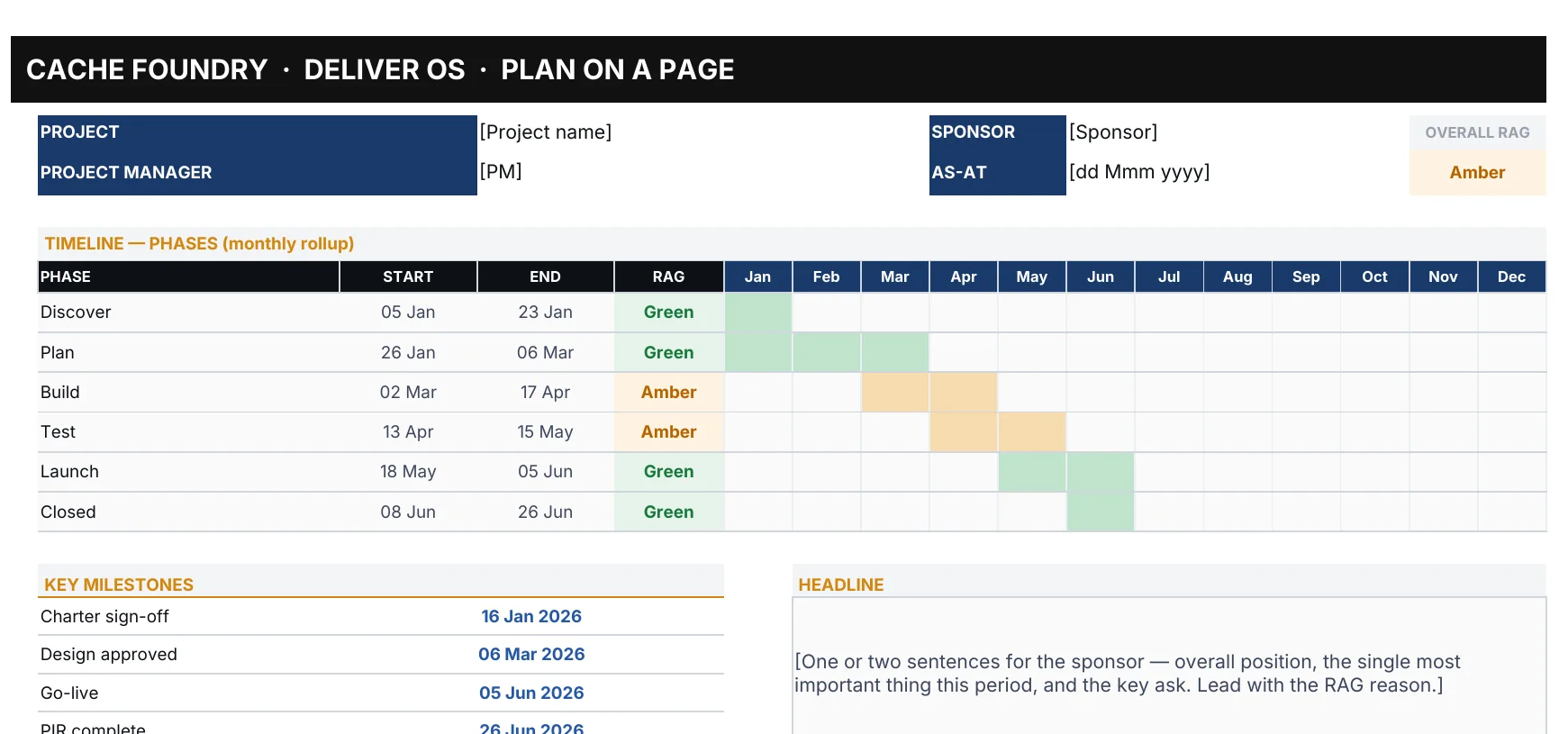
Control tools · Excel
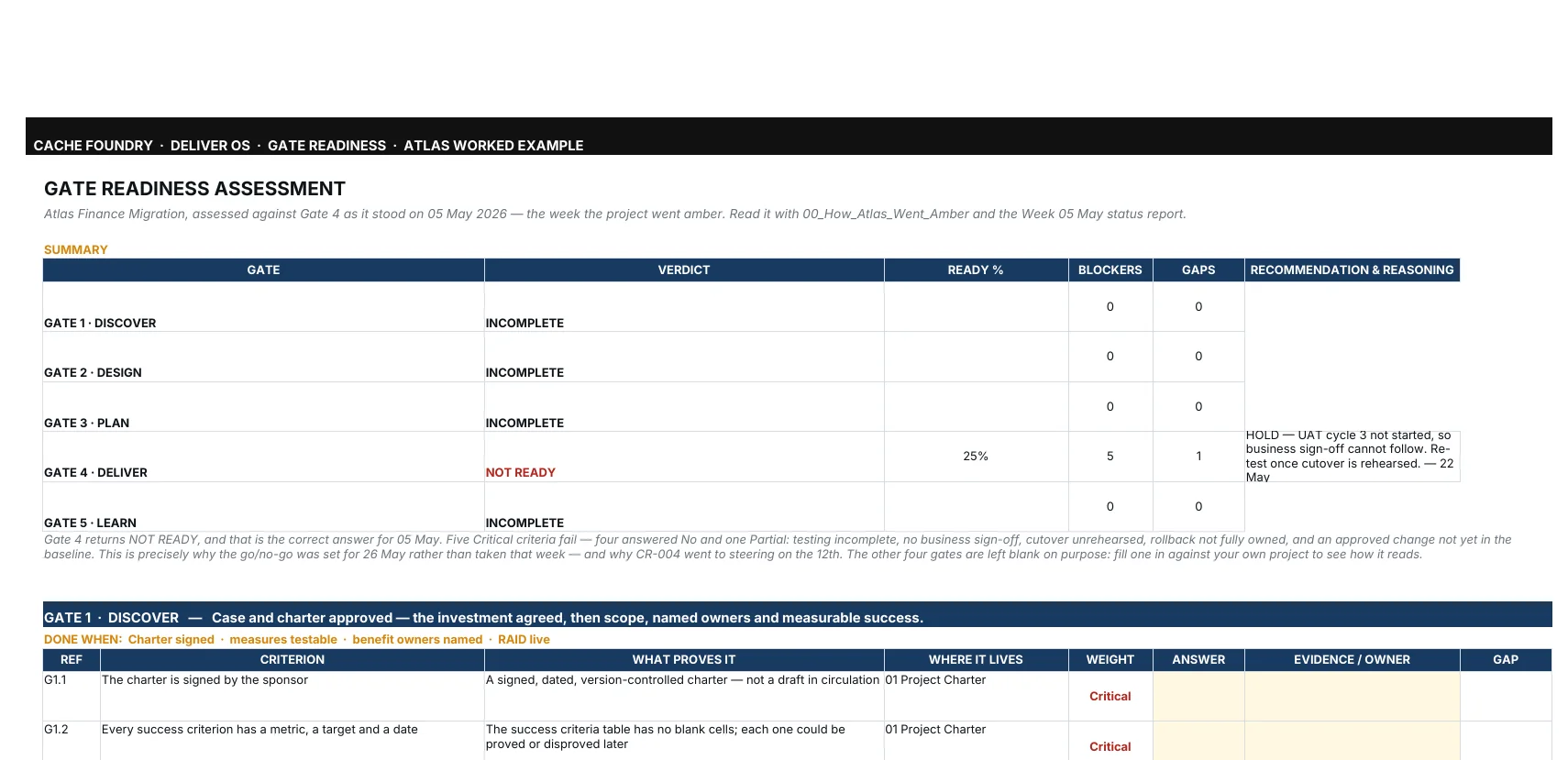
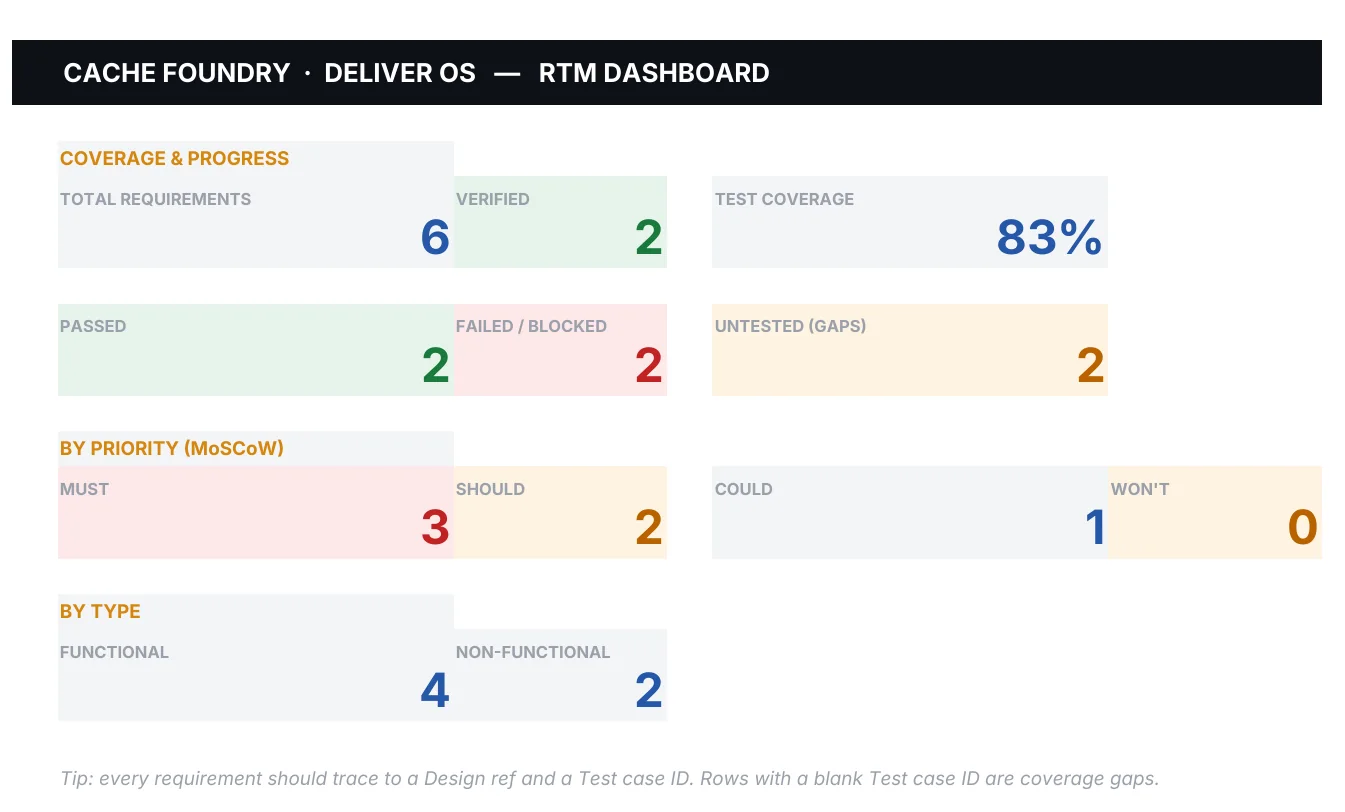
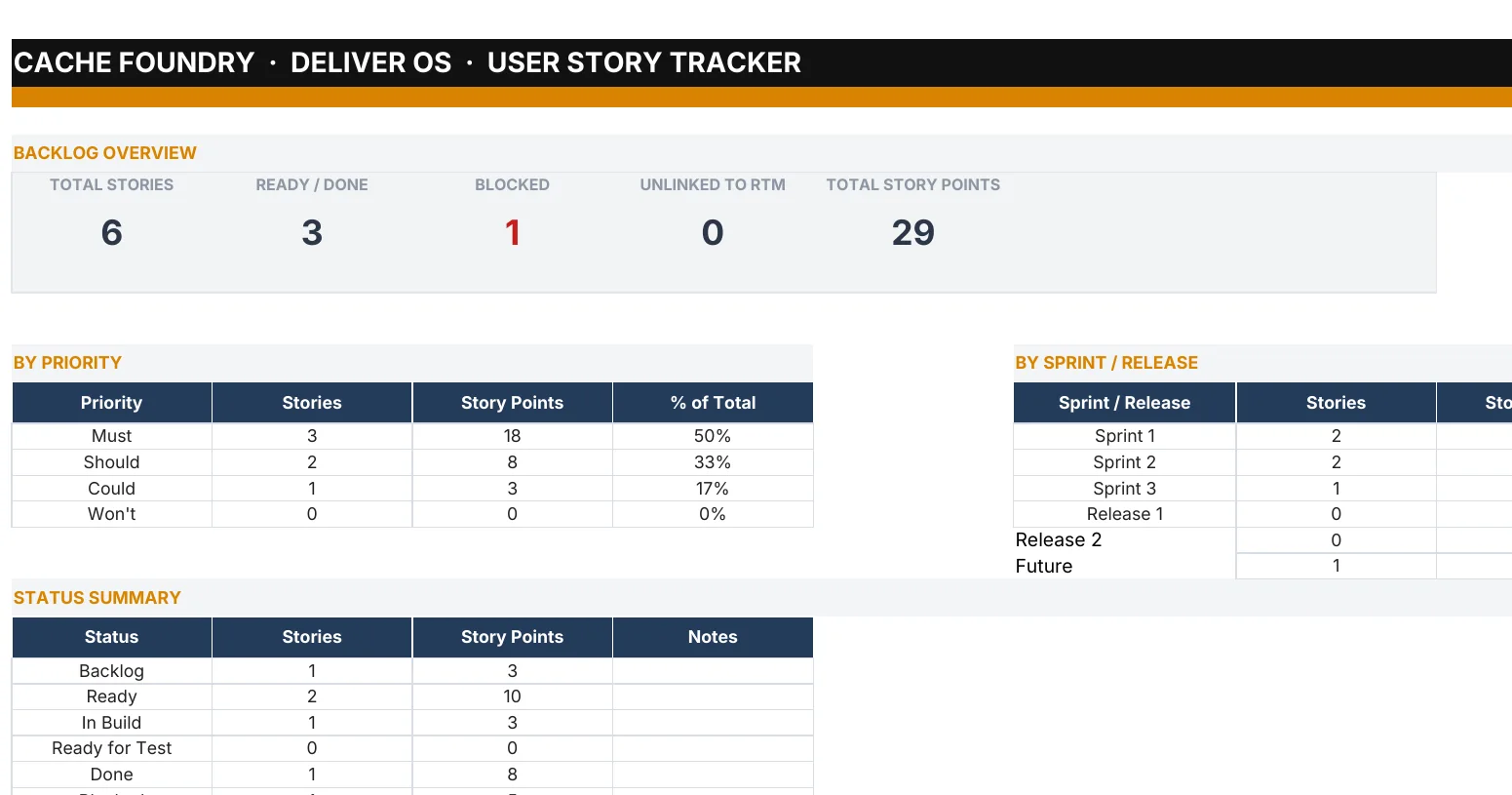
Nine workbooks, formula-driven and auditable. Enter a cost line, a risk or a change once; the totals, variances, RAG counts and gate verdicts calculate themselves. Each opens with its own how-to-use sheet: your route, and the prompts to run.


AI Prompt Companion
A single self-contained app. Tell it what you need help with right now and it points you to the right prompts; or follow a workflow, keep favourites and build your own sequence. The Prepare builder helps you assemble the context and warns you about confidential material. What you type is held in memory only.
Tested with Claude, ChatGPT and Copilot. The prompts are plain text, so they run in whichever of these your organisation has approved. What differs is what the tool hands back: a filled document, or text you paste into the template. No paid AI tier and no Notion AI are needed.
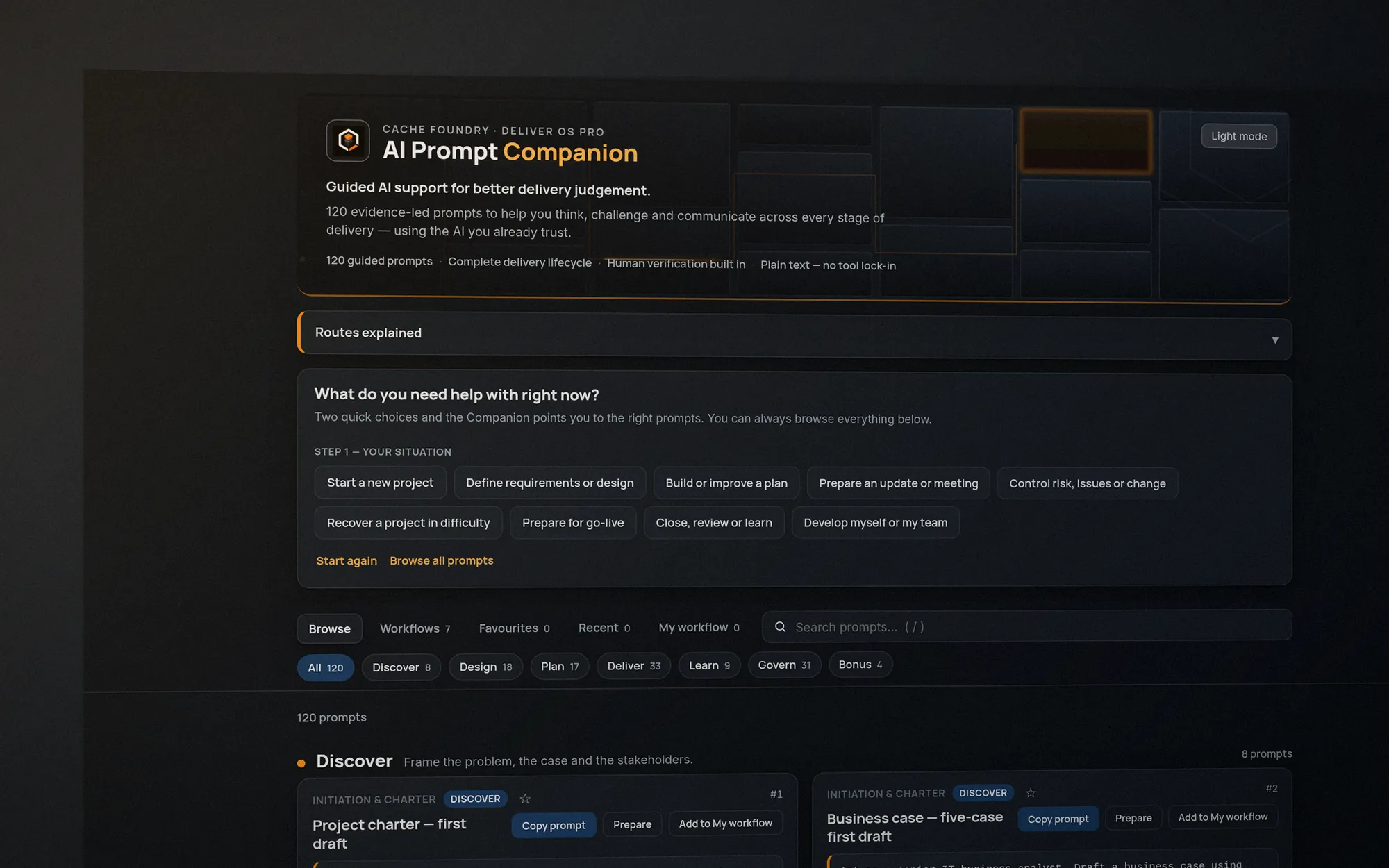
Four of the 120, exactly as they ship. Pick a situation, copy the prompt into the AI tool you use, and fill in the brackets.
You are an IT delivery lead defining the scope boundaries for [project name] to sit in the Project Charter. Produce two columns: "In scope" and "Out of scope". Each item is one sentence, specific enough that a third party could test compliance. Avoid marketing language. Flag any item still debated as in or out.

Context: [PASTE bullets]
Where it goes Scope is captured in the Project Charter — draft in your AI tool, publish the boundaries through the Charter's scope section.
Generate a status report for [project] for the week ending [date]. First choose the audience mode, then produce only that version.

MODE A — executive sponsor / steering: ≤ 350 words — your sponsor reads this between meetings, in Deliver OS Pro Status Report section order: RAG (with a one-line justification), Headline, Achievements this period (3–5 bullets), Planned next period (3–5 bullets), Top 3 risks/issues (one line each, named owner), Decisions required, Asks. Front-load the worst news.

MODE B — delivery team: the same week's underlying data, but fuller and more technical — a named owner per workstream, links to the relevant artefacts/boards/tickets, and a 'what would help us' section of concrete unblocking asks. It can run longer and the tone can be warmer.

Use only the supplied data; do not introduce an achievement, date or figure that isn't in your inputs.

Inputs: [PASTE 8+ bullets and the current RAG with its one-line justification]
Where it goes Feeds the Status Report (Word) and PSR Slides — draft in your AI tool, publish through the Status Report template as the controlled copy.
Here is a risk and its current weak mitigation: [PASTE]. Rewrite the mitigation so that it has: a clear owner, a clear action, a clear due date, and a measurable indicator that it has reduced the risk. Avoid "monitor" as the only verb. Present it as a proposed replacement for me to confirm, not a finished record.
Where it goes Proposes a replacement for the mitigation field in your RAID Tracker (Excel), which you then apply. Draft in your AI tool and confirm the wording before it goes in; never silently overwrite the existing row.
Draft a decision request to [person] for [decision]. Format: Decision requested (1 line), Why now, Recommended option, Alternative considered (1), Implications of saying no, Date needed by. ≤ 200 words — an approver should be able to say yes without a second sitting.

Context: [PASTE]
Where it goes A decision request feeding your Decision Log once resolved — draft in your AI tool, record the outcome in the log.
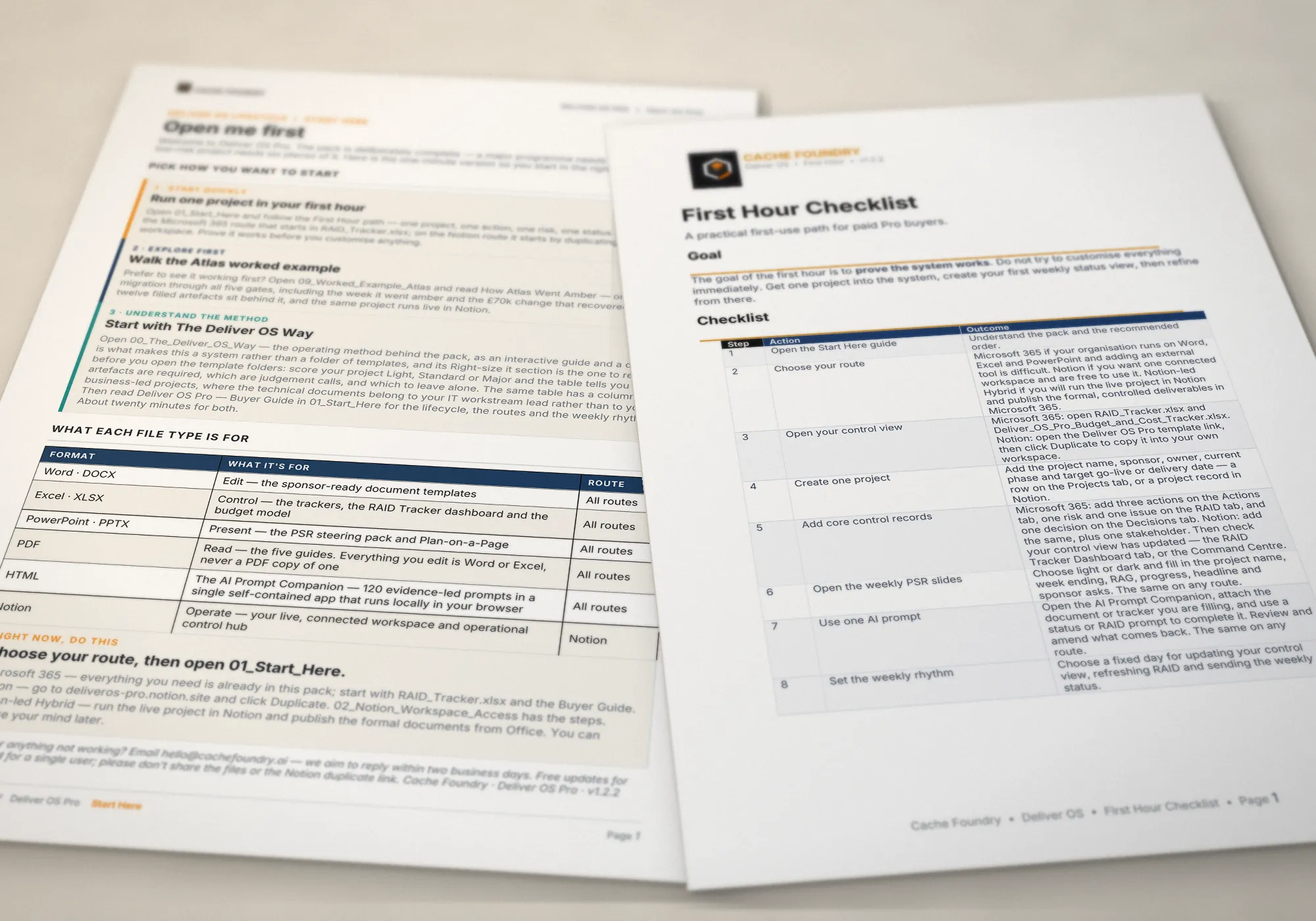
After you buy
Prove it works before you customise anything.
How it compares
| What you get | Deliver OS Pro | Free templates from project software sites | Template bundles | Enterprise project tools |
|---|---|---|---|---|
| A finished example project, every document filled in | ✓ Atlas: 12 documents from mandate to closure | Rarely | Sometimes sample content | Demo data |
| Documents that connect: one risk carried from the register to the sponsor report | ✓ Built around it | No, standalone files | Mostly standalone | ✓ Inside the tool |
| Tells you which documents your project actually needs | ✓ A Light project uses 6 of the 28 | No | Sometimes a guide | Set up by an administrator |
| AI prompts with inputs, checks and a destination | ✓ 120, tested in three AI tools | No | Rarely | Built-in AI, tied to the tool |
| Works with the tools you already have | ✓ Word, Excel, PowerPoint, Notion | Usually needs their software | ✓ | Replaces them; needs a rollout |
| When the project changes | ✓ Enter it once; it carries through to the report | Update each file by hand | Update each file and slide by hand | ✓ Inside the tool |
| Cost | £99 once | Free, as a route to a subscription | A one-off fee | Per user, per month |
| Yours to keep and adapt | ✓ | Varies | ✓ | Only while you subscribe |
A fair summary of each kind of alternative, not of any one product. Enterprise tools do far more than Deliver OS; it is built for the projects and people they don’t reach.
Free updates
Each release ships with a change log that says what changed and why, including the times we corrected ourselves. Updates go to the email you bought with.
The operating method behind the pack, as an interactive guide and a deck, plus one consistent “how to use” panel on every tool.
Microsoft 365, Notion, or Notion-led Hybrid. The pack no longer assumes you use Notion.
The method scores a project on cost and effort and says what each size needs. A Light project runs on six of the twenty-eight documents.
Guidance moved to the front of every template, Atlas rebuilt on the current templates, the pack brings its own typeface, and every AI claim tested before it is printed.
At a glance
The pack brings its own typeface, Inter, with install files. Skip the install and nothing breaks.
| What’s in it | 58 files: 17 Word templates, 9 Excel control tools, a PowerPoint steering pack and Plan on a Page, a Notion workspace, and the AI Prompt Companion |
|---|---|
| Worked example | Atlas Finance Migration: 12 finished documents from mandate to closure |
| AI prompts | 120, each with its inputs, the checks to run and where the output goes. Tested with Claude, ChatGPT and Copilot |
| Routes | Microsoft 365, Notion, or Notion-led Hybrid. All three complete |
| Formats | Word (.docx), Excel (.xlsx), PowerPoint (.pptx), PDF, a Notion template to duplicate, and a browser app |
| What you need | Microsoft 365 or Office for Word, Excel and PowerPoint; a free Notion account for the Notion route; any modern browser; an AI tool your organisation allows, if you want the prompts. No paid tier of anything |
| Licence | One person. Use it for your employer or your clients and adapt it as you like. Licence |
| Updates | Free for life, sent to the email you bought with |
| Support | hello@cachefoundry.ai. We aim to reply within two working days |
| If it’s faulty | We’ll fix it or refund it. Instant download, so no change-of-mind refund. Refund policy |
| Price | Launch price £99 for the first 50 buyers or the first 30 days, then £129. Pay once, use forever. VAT added at checkout where it applies |
Free sample
The free Status Report Kit is three files straight from the pack: the Status Report template, the finished Atlas report from the week the project went amber, and the prompt that drafts yours from your own notes.
£99 + VAT where it applies
Launch price for the first 50 buyers or the first 30 days, then £129. Pay once, use forever. Instant download and free updates. If anything is faulty or doesn’t work as described, we’ll fix it or refund it; as an instant download it has no change-of-mind refund, so try the free sample first. At the launch price a UK buyer pays £118.80 including VAT; VAT is added at checkout according to your country, and buyers outside the UK and EU pay none.
Checkout opens when the launch goes live.
Questions before then: hello@cachefoundry.ai